
Alex Christian Alex Christian

Handheld vs Gimbal: Why Your Wedding Film Needs Both

Handheld and gimbal shots each bring something different to a wedding film. In this post, I explain why I use both styles and how they work together to make your video smooth, emotional and cinematic.
When you watch your wedding film, you don’t just want to see what happened. You want to feel it. The way the day moved. The emotions. The energy. A big part of creating that feeling comes from how the camera moves.

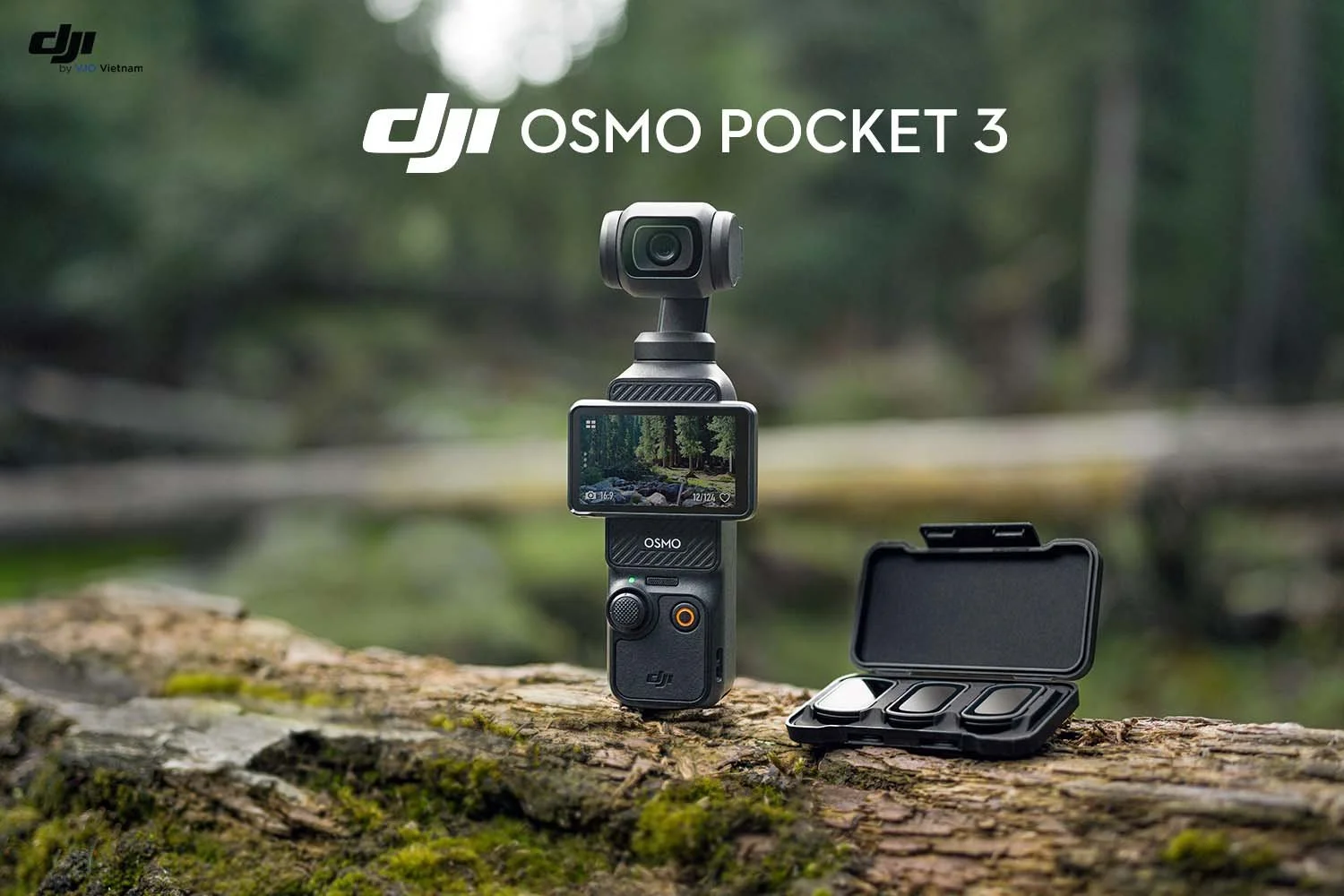
In wedding filmmaking, there are two main ways to shoot: handheld and gimbal-based. If you’ve read my other posts about why I love the DJI Osmo Pocket 3 or how I use the DJI Mini 4 Pro drone, you already know I use gimbal tools a lot. They help me get those smooth, cinematic shots everyone loves.

But I also use handheld shooting during parts of the day, because handheld adds something different: honesty, texture, and real-life emotion.

The best wedding films use both styles. They work together to make your video feel natural, beautiful and fully alive.

What Is Handheld Video

Handheld video is exactly what it sounds like. The camera is in my hands with no motorized stabilizer attached. I still shoot with technique and control, but the movement is a little more natural.

Why Handheld Footage Matters

Handheld shooting adds a tone that feels:

  • Real and unfiltered

  • Quiet and emotional

  • Candid and personal

  • Perfect for moments that aren’t staged

I like to use handheld during the getting ready time, emotional moments with parents, reading letters, and parts of the reception. These are times when I want the camera to feel like a person in the room, not a machine floating through space.

What Is Gimbal Video

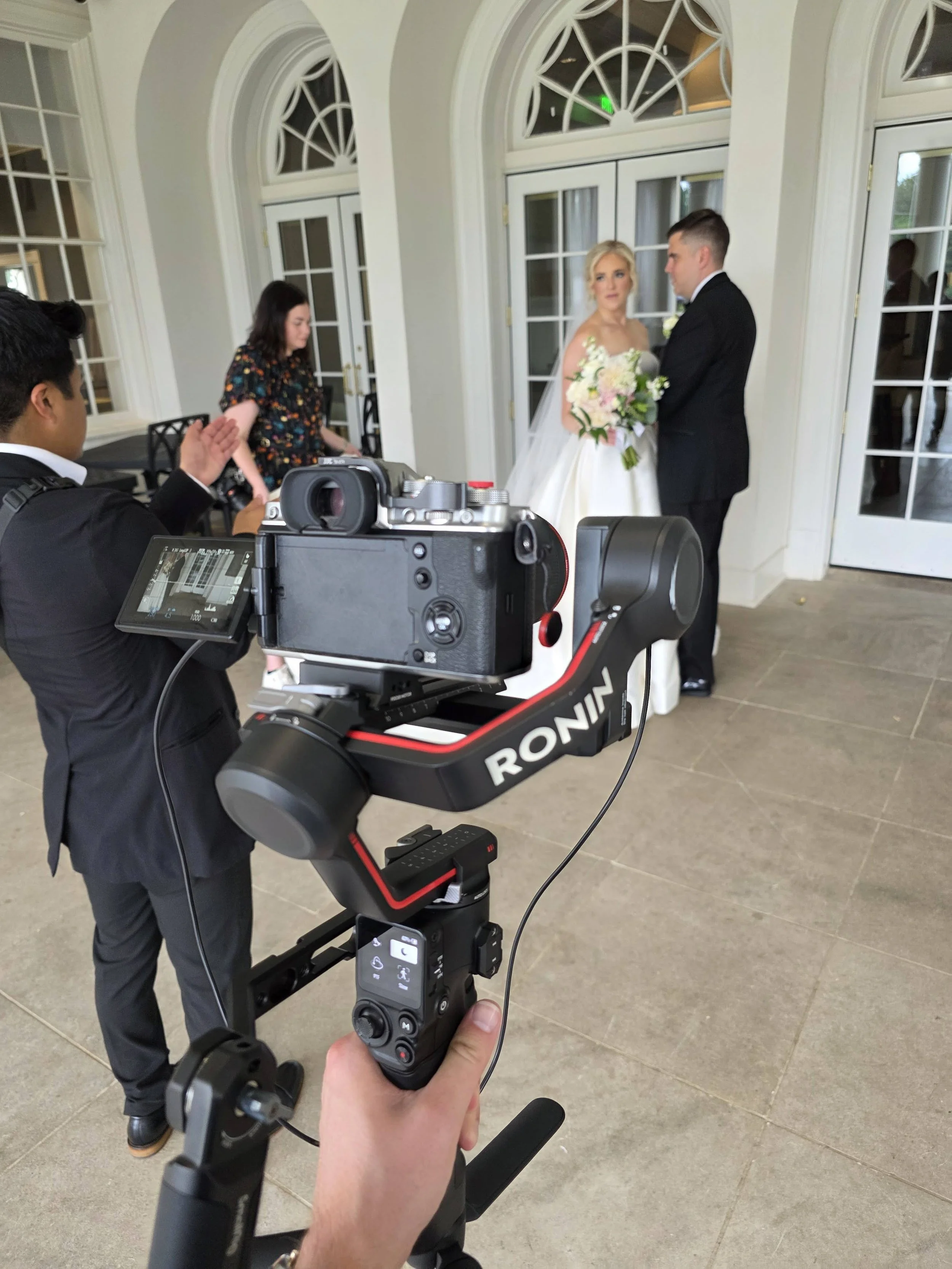
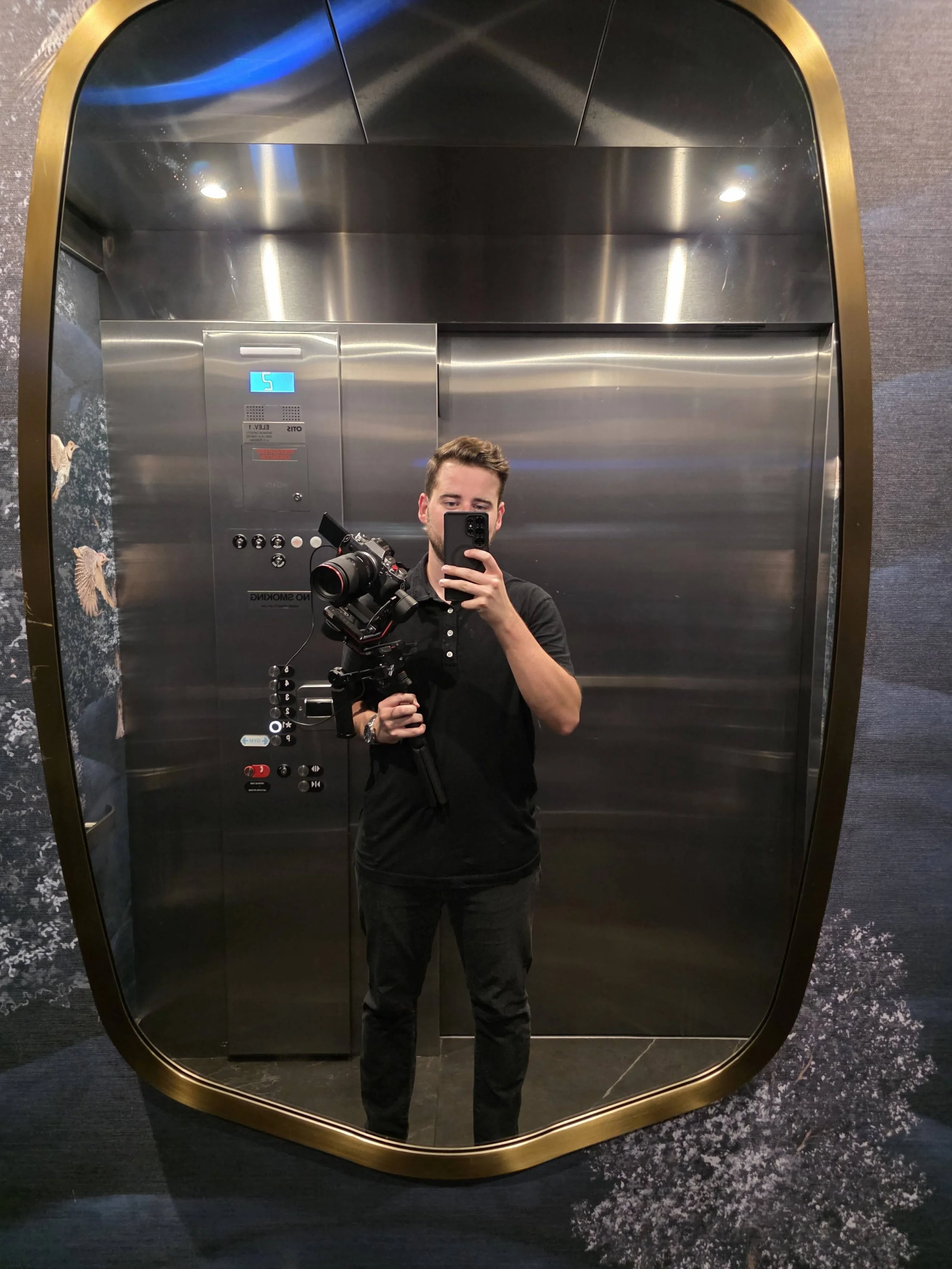
A gimbal is basically a powered platform that I mount my camera onto. It uses tiny motors to keep the camera locked in place, even while I’m walking or moving around. Think about how a chicken can move its whole body, but its head stays perfectly steady. A gimbal works the same way.

That’s why you’ll often see me carrying around that big clunky-stick-looking thing. It’s doing the hard work of keeping every shot smooth and steady while I focus on capturing the moment. This creates that smooth, floating look that feels very cinematic.

I use a few gimbal tools on a wedding day:

  • DJI RS3 Pro for main video work (with my Fujifilm XT-4 as my primary body)

  • DJI Osmo Pocket 3 for fast, lightweight shots in tight rooms, or to hand to the wedding party to infiltrate the dance floor

  • DJI Mini 4 Pro drone for aerial shots

If you’ve read my blog about the Osmo Pocket 3, you know how tiny and powerful it is. And in my drone blog, I break down why the Mini 4 Pro is perfect for wedding days because its camera is literally floating on a gimbal in the air.

Why Gimbal Footage Matters

Gimbal shots help your wedding film feel:

  • Smooth and polished

  • Cinematic and grand

  • Perfect for big, important moments

  • Ideal for showing the venue and scenery

Think of shots like walking through the venue, your dress flowing behind you, or sweeping views of your ceremony location. Gimbals are made for those.

Handheld vs Gimbal: What They Each Bring To Your Film

Handheld

Great For: prep, candid moments, emotional close-ups, reception

What It Brings: honesty, intimacy, feeling like you are right there

Gimbal

Great For: portraits, entrances, exits, scenery, aerials

What It Brings: smooth motion, beauty, cinematic feel

Why Using Both Makes Your Film Better

1. It Creates Variety

If every shot looked smooth, it would feel overly staged.
If every shot was handheld, it would feel too raw.

Mixing the two keeps your film interesting to watch.

2. Certain Moments Work Better With Certain Styles

Here are a few examples:

  • First look: gimbal

  • Detail shots: gimbal

  • Reading a letter: handheld

  • Venue views: drone

  • Walking shots: gimbal

  • Hugs and reactions: handheld

  • Ceremony entrances and exits: gimbal

  • Dance floor: a mixture

  • Emotional close-ups: handheld

Your wedding day has a lot of different moods. The camera movement should match each one.

3. It Helps Tell a Better Story

Handheld captures the heart of the moment.
Gimbal shots capture the beauty of it.

When I blend the two, your film feels personal and cinematic at the same time. More like a movie, but still completely true to your day.

How I Use These Tools Together

Here’s how I usually mix everything:

  • Osmo Pocket 3 for quick transitions, tight getting ready rooms and fast movement

  • Drone for establishing shots and scenery

  • RS3 Pro for smooth, steady movement during portraits, entrances and important moments

  • Handheld camera for emotional reactions, candid details and moments that feel more real and unscripted

Everything is intentional. I use each style for a specific purpose so your film has emotion, beauty and flow.

Final Thoughts

You shouldn’t have to choose between handheld or gimbal video. The best wedding films use both. Handheld gives the film its heart. Gimbal shots give it its style.

Together, they make your story feel real, cinematic and unforgettable.

Want to dive deeper

Check out my related posts:

Read More
Alex Christian Alex Christian

The Blunder Years

I didn’t grow up thinking I’d be a photographer. It just kind of happened — one hand-me-down camera, a scratched sensor I definitely caused, and years of trial-and-error later. Somewhere between photographing cars at a dealership, shooting everything at f/1.8 on mission trips in the Dominican Republic, and eventually filming weddings, it turned into something real. This blog is me unpacking that — the stories, the mistakes, the good photos, the terrible ones I posted anyway — all of it.
How I Fell Into Photography (And Somehow Never Climbed Back Out)

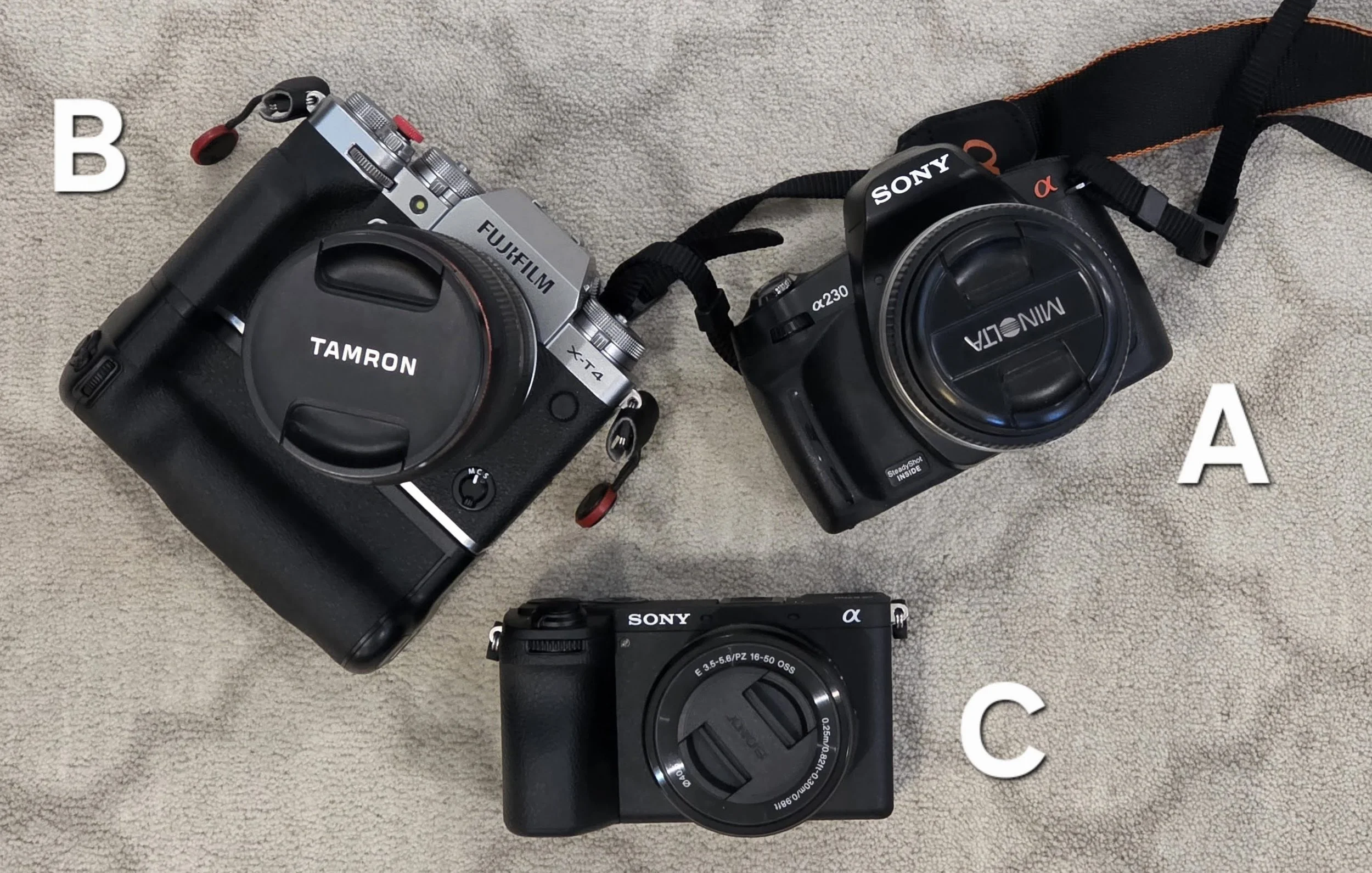
It started in 2009 — back when I thought a camera was basically magic and all those buttons existed just to scare normal people away. Sony had just bought Minolta, and my mom, who still had her old Minolta film lenses tucked away like relics from a previous creative life, bought one of those early Sony DSLR bodies so she could use them again.

And suddenly… there it was.
A real camera in the house.
Not a point-and-shoot. Not a disposable Kodak. Something with weight. Something with responsibility.

I was old enough to use it (theoretically without dropping it), and because a camera getting dinged was less worry than film getting wasted, lucky me. Digital meant freedom. Digital meant mess up all you want, kid.

And mess up I did.

I didn’t understand anything yet. There were no YouTubers soothingly explaining aperture. No “10 settings you MUST know” thumbnails. Learning photography meant stepping into the backyard, pointing the camera at whatever sat still long enough, and turning dials like I was trying to crack a safe by accident.

Here’s what teenage-me pieced together — in the most chaotic, naïve way possible:

  • The “A” setting made backgrounds go blurry, and blurry looked fancy.

  • The “M” setting meant I had to understand numbers, which was cruel.

  • The fraction (shutter?) either froze a moment or smeared it into a light painting.

  • Another dial made things brighter, but also noisy and crunchy.

  • A different ring made things sharp… theoretically. Never quite nailed that part.

It was trial and error. Mostly error. But my error. And that made it magic.

I remember getting irrationally mad at zoom lenses. Every time I zoomed, the image got darker. Why? Witchcraft. Why couldn’t I freeze action and have enough light? Why were all the good pictures slightly out of focus? Why did every “perfect shot” have someone blinking?

At some point (likely while attempting to “clean” the camera like a confident idiot), I scratched the sensor. A faint hairline — only visible in bright light — slicing through the sky in so many old photos. I hated it then. I kind of love it now. It’s the fingerprint of that era. The proof of youth.

One Fourth of July, it finally clicked. I slowed the shutter way down and the fireworks stretched into long strings of color like neon spaghetti. No silhouettes, no composition, nothing in the frame to tell you what was happening—just frantic streaks on black. But when I saw it on the tiny LCD screen, my heart kicked. I had bent time. I made something.

By then I was unstoppable. I just photographed everything. If it moved, if it didn’t move, if it reflected light even a little—click.

On vacation at Myrtle Beach, I managed to freeze a Coast Guard helicopter mid-flight. Later that summer, at a new school, I photographed friends jumping off cliffs into lake water, suspended in the air like heroes. I chased every moment that felt larger than life—because I finally knew I could trap it forever.

I shot my sister’s sporting events. School games. The pansies in our yard when nothing else moved. I photographed sticks (why? no idea). Droplets from the garden hose that backlit into little diamonds. Leaves glowing under evening sun. Anything. Everything.

I discovered concerts. Free ones, mostly—small city stages with blinking lights and people swaying like the whole world was contained within those few songs. At church I’d studied the way video crews framed hands lifted in worship: silhouettes against warm stage lights. It looked holy. Cinematic. So I tried to recreate it, probably overexposed half the time, but I was confident. Concerts where no one was paying me but I pretended I was working for Rolling Stone.

One day, hail fell like golf balls from the sky. Windshields cracked. I ran outside like a war correspondent and took the most dramatic, contrasty photos of shattered glass you’ve ever seen. Saturation maxed out. Blacks crushed. Grain everywhere. I thought I was groundbreaking. Pulitzer-level. Looking back? Let’s call it bold experimentation.

I took photos of families bringing home adopted children. Of winter dance crowds for the school yearbook. Life events that felt so much bigger than my ability to capture them—yet I tried anyway.

Then came the camera upgrade that changed everything.

The Upgrade Era

A family friend — head of IT at our giant church, serial gear-upgrader— upgraded from a Canon T3i to a 5D Mark-Something-Huge. Which meant the T3i was suddenly “old.” Ridiculous, but lucky for me. He offered it at a friends-and-family price and I said yes so fast I might’ve cut him off mid-sentence.

That Canon became my teacher.

HDR experiments.
Ridiculous long exposures.
Macro shots of bugs, leaves, raindrops.
Weekend photo walks through downtown Louisville with a couple friends, shooting rusted fire escapes and neon reflections like we were channeling Ansel Adams himself.

Honesty moment: some most of those edits are painful now. Over-sharpened. High contrast. Selective color (we all did it — don’t lie). Pretentious framing. But enthusiasm carries you further than talent in the beginning. And oh boy, I was enthusiastic. I dabbled in Photoshop cloning myself into frame, weird composites. None of it was “good,” but it stretched my imagination. Chicago was my first time feeling like a real photographer.

I must’ve been pretty pretentious then — I know I’m still a bit pretentious now. (Growth is slow, ok??)

Chicago was the first time I thought, maybe I could do this for real. Street photos, architecture, harsh edits—too much clarity, way too much vignetting—but inside those images were seeds of the style I’d grow into. Expired-film energy. Moody, grainy, nostalgic. The kind of photo that could’ve been taken 60 years ago or yesterday. Street shots, architecture, trains rattling overhead. I edited everything like it was shot on expired film and processed in a basement darkroom owned by a chain-smoking artist. It was over-the-top, but I loved it. Inside those overly crunchy files was the beginning of my style—grain, mood, timelessness.

The Dealership Years

I found myself in a role that, looking back, shaped my eye for consistency, workflow, and technical discipline more than almost anything else: working at a car dealership in high school. I wasn’t selling cars—thankfully—but I was the staff photographer and videographer for their website and digital marketing. Every day looked something like this: pull a used car from the lot, bring it into the photo bay, and take the same 20–30 angles I had taken hundreds of times before. Hood up. Interior. Dash. Rear quarter. Repeat. Over and over.

It sounds monotonous, and in a way it was, but for an 18-year-old with access to freshly traded-in cars—and every once in a while, a brand new Corvette Stingray or a Jag F-Type (that we most definitely did not drive too fast…)—it was electric. There was something surreal about spending my high school summers, showing up at work, and being handed keys to cars I could never afford at the time. Sometimes I couldn’t tell whether I was more excited about driving the cars or photographing them.

Slowly, as my boss learned to trust me, he loosened the creative leash. I started experimenting: different framing, rolling shots in the parking lot (when I could convince someone to drive slowly enough), and eventually short-form videos. I still remember one of my favorite projects: an Office-style mockumentary commercial for the Chevy Volt. It was dry, self-deprecating humor, the kind of thing that would thrive in today’s meme-forward marketing world. But this was before Wendy’s broke the fourth wall on Twitter, before brands learned they could have a personality. So it never aired, never made it past the internal drive… but it lit a spark in me. The idea that content can be fun. That marketing can make you smile.

That job trained me how to work fast, work consistent, and show up creatively even when the task itself didn’t change. Repetition made me precise. Freedom made me curious. And together, without me realizing it at the time, it built the muscles I’d later lean on as a filmmaker.

Then Came Mission Work

This was big for me. Not just life-changing — photography-changing.

It was the first time I owned an aperture below f/3.5.
I bought the nifty-fifty 50mm f/1.8, and everything — literally everything — was shot wide open, no hesitation.

Rebar ties in construction work? f/1.8.
A dog sleeping in dirt? f/1.8.
Airplane parts through a clouded window? f/1.8.
People, buildings, chickens, shadows, no matter what — that aperture ring did not move.

I didn’t understand depth of field or storytelling yet — I just knew blurry looked magical. Something new had been unlocked in my brain and I couldn’t turn it off. Were the majority of these photos out of focus, and only a select few ever saw the light of day? Yes, of course! But when you shoot digital, you can just shoot more and more and more photos, and no one is ever the wiser.

The colors were crunchy. Edits dramatic. Grain heavy (even though the sensor was pristine now that I had abandoned the Sony). But within the chaos, I can see the early seeds of my voice. The beginnings of mood. Film influence sneaking in. Nostalgia showing up before I had language for it.

The Drift & The Return

Then… college happened. Hobbies fell like dominos. I wanted to finish flight school fast, so my guitar gathered dust and the camera lived in a drawer more than in my hands. Photography never disappeared, but it drifted.

Still, when I did shoot, I leaned further into filmic aesthetics—pastel tones, deep shadows, colors that felt nostalgic. Mostly moving the color blue towards teal and calling it a day. Sometimes I’d try astrophotography or chasing storms, standing outside like a madman waiting for lightning. Those images mean something to me now, even the bad ones.

Life changed. Relationships. School. Work. Travel. Everything loud and demanding my immediate attention (attention I couldn’t give to photo and video…)

It wasn’t until 2018 that the spark came roaring back. I shot weddings. I shot video. I remembered why I ever picked up a camera in the first place. People trusted me with vows and tears and the once-in-a-lifetime moments that only a shutter can preserve. 2019 was the year it started feeling real — like this could be more than a hobby.

Then came adulthood with a capital A. Bills. Salaries. Corporate life. I moved into software sales and marketing because creativity doesn't always pay rent on time. But every spare moment, I found myself drifting back to photography like gravity. Family events, small weddings, random shoots because I just… missed it.

I shot weddings for friends. I picked up video again. I remembered what it felt like to freeze real moments — nervous hands, tearful vows, the laughter that only happens once. 2019 was the turning point where photography became a real side path, not just a forgotten hobby. Something I could follow.

Then adulthood called, money mattered, and I found myself in corporate software sales and marketing. Stable. Sensible. But creativity never stopped tapping my shoulder like “hey, you’re supposed to be making things.” I worked with marketing agencies, eventually one specializing in wedding videos and wedding venue campaigns — which is ironic because I was helping other people grow their creative businesses while mine sat neglected. The classic expression of the cobbler’s children having no shoes.

But eventually I looked at the hard drives and thought:
“I help everyone else tell their story.
Why am I not telling mine?”

So Here We Are

I’m pulling images out of old folders like dusty journals.
Remembering who I was, who I became, who I’m still becoming.

The sensor scratch.
The neon spaghetti fireworks.
The f/1.8 everything-phase.
The gritty HDR era.
The I-am-basically-Ansel-Adams delusion.
Every stage makes me laugh and makes me grateful.

Photography isn’t just something I did.
It’s the thread that wove through every version of my life.

This messy scrapbook of memories (this blog) is proof.

I’m still curious. Still experimenting.
Still that kid in the backyard twisting dials, just with better gear, better taste, and more stories to tell.

Read More
Alex Christian Alex Christian

How Much Should You Budget for a Wedding Photographer in 2026–2027?

Planning your wedding and wondering how much to budget for a photographer in 2026–2027? From intimate elopements to full-day celebrations, we break down real pricing, what you’re paying for, and how to choose a photographer who will capture every moment beautifully.
Planning your wedding comes with a lot of decisions like colors, timelines, family lists, and seating charts. One of the most lasting decisions you will make is choosing your photographer. After the cake is eaten and the flowers fade, your photos are what you will have left. Naturally, one of the first questions couples ask is:

"How much does wedding photography cost?"

Let’s break it down clearly so you can plan confidently and find the right photographer for your day.

What Couples Are Actually Paying in 2026-2027

Recent wedding cost reports show that couples in the United States spend:

Most weddings fall between $3,500 and $6,000 for traditional coverage with a professional photographer. Smaller weddings sometimes cost less, while larger celebrations with more coverage and add ons cost more. Now you have a ballpark range to start planning.

Check out my Wedding Photography Packages to see what’s included

Why Prices Vary and What You Are Really Paying For

Wedding photography is more than showing up with a camera. Here is what affects pricing:

What Affects Cost Why It Matters to You
Hours of coverageMore hours means more moments captured. Short weddings cost less, full day storytelling costs more.
Photographer experienceExperience brings consistency, problem solving, posing guidance, and peace of mind.
DeliverablesAlbums, prints, engagement sessions, second shooters, and video influence price.
Location and travelLocal weddings may cost less than destination or remote locations.
Season and demandPeak months and weekends book fast and often at premium rates.

Hours of coverage

More hours means more moments captured. Short weddings cost less, full day storytelling costs more.

Photographer experience

Experience brings consistency, problem solving, posing guidance, and peace of mind.

Deliverables

Albums, prints, engagement sessions, second shooters, and video influence price.

Location and travel

Local weddings may cost less than destination or remote locations.

Season and demand

Peak months and weekends book fast and often at premium rates.

When you invest more, you are generally paying for reliability, backup support, and a photographer who can handle anything your day brings.

What Couples Should Budget For

If you are planning now, this guide can help:

Wedding Style Typical Investment (2026)
Intimate wedding or elopement$1,600 to $2,500
Classic 6 to 8 hour wedding$2,500 to $4,000
Full day coverage with additional services$4,000 to $6,000 and up
Luxury, destination, or multi day events$6,000 to $10,000 and up

Intimate wedding or elopement

$1,600 to $2,500

Classic 6 to 8 hour wedding

$2,500 to $4,000

Full day coverage with additional services

$4,000 to $6,000 and up

Luxury, destination, or multi day events

$6,000 to $10,000 and up

See our Photo Styles Explained to find the look that fits your wedding

What You Are Paying For Beyond Photos

Couples are often surprised when they see how much work happens behind the scenes, including:

  • Shooting time on the wedding day

  • Weeks of editing and color work afterward

  • Professional gear and backup gear

  • Secure file storage and backups

  • Planning support and shot guidance

  • Delivery galleries, albums, prints, and hosting services

You are hiring someone to protect moments that will never happen again. That level of responsibility and artistry is the heart of the investment.

How to Choose a Photographer You Love

To make the decision easier, use this simple approach:

1. Look for a style that feels right to you
Light and airy, candid documentary, bold and cinematic, or something in between.

2. Read reviews and testimonials
Real stories from past couples matter.

Read our Client Testimonials to hear what couples are saying!

3. Understand what is included
Ask about hours, galleries, prints, raw files, and delivery timelines.

4. Prioritize personality fit
You spend more time with your photographer than almost anyone else on your wedding day.

5. Book early
Popular dates often fill 9 to 18 months out.

Check my Availability & Booking Page to secure your date

So What Should You Budget?

Many couples invest about 10 to 15 percent of their total wedding budget into photography. It is one of the few investments that grows more valuable with time.

  • For smaller packages, a budget-friendly option may work.

  • For balance, most couples land in the mid-range.

  • For full coverage, albums, prints, and a stress-free experience, premium packages are often worth it.

See examples in our Portfolio to imagine your own day captured.

Final Thought

Years from now, when you look through your album or show your photos to your kids or grandkids, the investment will not feel like a number. It will feel like stepping back into the best day of your life.

If you want images that capture everything from quiet glances to loud celebrations, and you want a photographer who focuses on story, emotion, and meaning, I would love to hear more about your wedding.

Ready to Book?

Your wedding day is one of the most important days of your life, and having the right photographer can make all the difference. If you’re ready to capture every moment — from the quiet, intimate glances to the big celebrations — now is the perfect time to start planning.

Booking early ensures you get the date you want, the coverage you need, and peace of mind knowing your memories are in good hands.

Contact me today to check availability and secure your date. Let’s create images that tell your story and make your wedding day unforgettable.

Read More
Alex Christian Alex Christian

How Switching from Canon to Fujifilm Helped Me Fall Back in Love with Photography

I spent years shooting on Canon and slowly drifted into a version of photography that felt more like work than art. Then a conversation with my best friend Luke pointed me toward Fujifilm, and everything changed. Switching systems brought me back to the tactile, intentional side of photography that I had been missing for years. It helped me reclaim the joy of creating for myself, and reminded me why I fell in love with the craft in the first place.
For a long time, photography was something I did because people asked. Not because I was excited to pick up a camera or because I wanted to create something meaningful. It slowly shifted into work. Good work, sure, but still work. Eventually I realized I wasn’t shooting for myself anymore, and somewhere along the way, the joy faded.

What I didn’t expect was that changing camera systems would be the thing that brought me back. Moving from Canon to Fujifilm did more than update my gear. It revived my creativity, changed the way I shoot, and reminded me why I loved this craft in the first place.

The Canon Years and a Style Built in Lightroom

I started on the Canon T3i and worked my way up through the 60D and the 5D Mark III. Those cameras were solid. Reliable. Familiar. There was nothing wrong with them at all. But the way I learned to use them shaped how I thought about photography.

Back then, most of my style was created in Lightroom. This was the VSCO era before the app existed. VSCO was a pack of presets you bought and loaded into Lightroom, and I was all in on them. Heavy film looks. Deep blue shadows. Crushed blacks. Muted tones. I pushed my images hard in post because that was how I figured out what I liked.

My process became a cycle. Shoot as many photos as possible so I didn't miss anything. Hope I captured something interesting. Get into Lightroom and do most of the creative work there. My framing was fine, and I had an eye for composition, but the real look did not happen until long after the moment had passed.

Over time, that approach started to chip away at my enjoyment. Photography began to feel like a job that lived inside a computer screen. It lost the tactile, creative spark that made me fall in love with it in the first place.

The Slow Drift Into Burnout

There was a stretch of time where I barely picked up my camera unless someone asked. Looking back, I can see how far I had drifted from the passion that originally got me into all of this. Photography became something people expected from me because I had the gear, not because I was inspired.

That feeling got even stronger when I went to work for a car dealership in Louisville, Kentucky. I was shooting for a Chevy, Volkswagen, and Subaru dealership, and part of my job was to drive each car into a photo bay and capture the same twenty five photos of the same twenty five angles. Every single day. Hood shot. Side profile. Interior wide. Steering wheel. Wheel close-up. Repeat. Occasionally I would film a walk-around or a quick how-to video, but even those were more about utility than creativity.

It was commercial photography in the most literal sense. Functional. Necessary. But there was no soul in it. No style. No room for interpretation. It was about presenting a car as clearly as possible, not making art. After months of repeating the same motions, photography felt like a chore instead of a craft. That season drained me more than I realized at the time, and it pushed me further away from the joy I used to feel behind the camera.

The Conversation That Changed Everything

Right around the time I was feeling all of this, I talked with one of my best friends Luke.

Luke and I had fallen in love with photography around the same time in high school, and we would often go to Downtown Louisville and take photos of architecture or each other in very bizarre poses on brick walls thinking that we were artistic geniuses. Sometimes we would go to Luke's all-brick loft in Butchertown and take moody software-founder-style headshots on his leather couch with just one or two lamps to light the room. We thought it was basically our own personal studio.

By this time, he had moved out to the Pacific Northwest, shooting for brands like Filson and living in that world of rugged outdoor photography and creating work that felt alive. I asked him what camera system I should move to, figuring he would have a good read on where things were headed.

He told me I should either go Sony or Fuji. Then he paused for a second and asked me a question I was not expecting. He said, Are you going to be doing more commercial work, or more artistic work and home videos and pictures for yourself?

I told him the truth. I wanted something for myself again. Something artistic. Something fun. As soon as I said that, he told me to go with Fuji.

I have not regretted it for a single moment.

Then I Picked Up a Fujifilm

Switching to Fuji was not a dramatic, emotional decision. Honestly, I just wanted to try something new, and Luke’s advice pushed me in the right direction. Fuji cameras looked different, and they reminded me of the film cameras I admired when I was younger. I hoped that maybe a different kind of tool could shake something loose.

I had no idea how right I was.

The joy of physical controls

Fujifilm cameras brought me back to the basics in the best way possible. ISO, shutter speed, exposure compensation, aperture, all right there on physical dials. I was no longer digging through menus. I was adjusting exposure with my hands instead of a tiny wheel buried inside a digital interface.

Having physical controls made me think again. Each shot became intentional. I had to make choices before clicking the shutter instead of fixing everything later. Slowing down brought back a sense of creativity I had not felt in years.

Film simulations and the moment everything clicked

The other revelation was Fuji’s film simulations. For years I tried to recreate film through VSCO presets and heavy edits, but it always felt like I was fabricating a look after the fact. With Fuji, the look happened in the moment. Classic Chrome, Nostalgic Negative, Eterna, all of these simulations carried the exact feeling I had been trying to build in post for so long.

Suddenly, the aesthetic I imagined was showing up on the back of my camera. Editing became more about refining than reinventing. The image felt alive before it even touched Lightroom.

Fuji helped me get intentional again

Using Fuji helped me move away from the spray and pray mentality. Instead of firing endlessly and hoping a good shot was buried somewhere in the batch, I was composing with purpose. Watching the light. Trusting my instincts. I was creating photos, not collecting them.

Photography became an experience again, not a checklist.

How This Changed the Way I Shoot Weddings

This shift overflowed into the way I approach weddings. Before, weddings felt like a marathon where I had to capture everything and rely on editing later to create the style I wanted. Because my look lived in Lightroom, I cared less about what the image looked like straight out of camera.

Now, the look starts before the shutter clicks. Fujifilm helps me create most of my style in camera, and that gives me space to be present with couples. I’m not trying to fix moments later. I’m trying to honor them as they happen.

Editing is faster, cleaner, and more consistent. Weddings are still run and gun at times, but now they feel intentional. Thoughtful. Confident.

I trust my camera. I trust my eye again. And the whole process feels like art.

Rediscovering the Love of the Craft

Switching systems did something I never expected. It helped me rediscover the heart behind why I shoot. Fujifilm brought back the tactile joy, the intentionality, and the film-inspired aesthetic I had been chasing years ago through presets.

It reminded me that photography is not just about the final image. It is about how the process makes you feel. How a camera invites you to work. How the right tool can give you permission to create again.

Photography became fun again. And for me, that changed everything.

Read More
Alex Christian Alex Christian

Fujifilm Film Simulations Inspired by Christopher Nolan Films

Explore the cinematic world of Christopher Nolan through your Fujifilm camera. This curated collection of film simulation recipes mirrors the visual tone of each Nolan film, complete with detailed settings and real-world photo guidance. From gritty black-and-white to desaturated war drama, bring Nolan’s aesthetic into your everyday photography.

For when your camera wants to think like a director.

Ever take a photo, look at the back of your camera, and think, “Wait… that could be a still from a Christopher Nolan movie”? The light feels sharper, the shadows are pulling extra weight, and suddenly the shot has more drama than you expected. You kind of sit there for a second like, “dang, I made art here.”

The tricky part is figuring out how to do it again. And if you nail the look, which movie does it actually line up with?

That’s where being a Fujifilm shooter gets fun. Our cameras let us build film simulations right in the body, so you can set the mood before you even press the shutter. No endless hours of grading later.

And yeah, Nolan has his trademarks, but his looks have changed over the years. Memento is cold and fractured. Inception is sleek and modern. Heck, even the Batman trilogy isn’t one note — Begins is gritty, Dark Knight is surgical, Rises leans big and harsh. He shifts tone with every story.

So I pulled together a set of film simulations — one per Nolan film — arranged in release order. Think of them as a chronological mood-map. For each, I’ll give you the synopsis (to remind you of the vibe), the color aesthetic (to anchor the look), the build (to replicate it), and some “everyday use” tips (so you know where it shines outside a movie set). The goal isn’t to cosplay a still frame — it’s to give you tools that carry the same kind of mood and texture. That way, when your camera decides to think like a director, you’ve already got the settings to back it up.

1. Following (1998)

Film Synopsis:
Before Nolan the blockbuster architect, there was Nolan the scrappy experimenter. Shot on weekends with friends, non-professional actors, and leftover film stock, Following is a taut little noir about a writer who follows strangers for inspiration and finds himself caught in webs of manipulation. On the surface it’s about crime and identity, but underneath it’s Nolan running stress tests on themes he’d revisit for decades: obsession, fractured perspective, the cost of curiosity. It’s rough, raw, and utterly compelling. Watching it now feels like opening a sketchbook and seeing the blueprint of a career already pulling toward complexity.

Color Grade Aesthetic:
Pure monochrome — not elegant, not polished, but unapologetically bare. The blacks are unforgiving, swallowing detail whole, while the whites push into overexposure. It’s closer to a Xerox copy of life than a glossy photograph. The aesthetic harks back to postwar noir but stripped of Hollywood sheen, giving you a version that feels DIY and immediate. That lack of smoothness becomes its strength — it tells you this isn’t about comfort or escapism, it’s about raw tension.

Simulation Build:

Fujifilm Settings Value
Film SimulationAcros
Grain EffectWeak
Highlight+2
Shadow+4
Sharpness0
Clarity-1
Monochrome ColorN/A
WBAuto
ISO800
Exposure Compensation-1/3 to -2/3

Film Simulation

Acros

Grain Effect

Weak

Highlight

+2

Shadow

+4

Sharpness

0

Clarity

-1

Monochrome Color

N/A

WB

Auto

ISO

800

Exposure Compensation

-1/3 to -2/3

Everyday Use:
Suited for street photography, shadowy corners, or stark portraits with no emotional filter. This one thrives in overcast light and concrete-heavy settings — where a cigarette and a lie might be just off-frame.

2. Memento (2000)

Film Synopsis:
Memento doesn’t just bend time, it rewires how you experience it. Leonard Shelby’s search for his wife’s killer is told in reverse order, so the audience shares his disorientation. Tattoos replace memory. Polaroids replace trust. Every scene makes you doubt the last, and by the end, you’re unsure whether you’ve solved anything at all — or if Leonard ever can. Watching it is like climbing a staircase that keeps reassembling behind you. It’s lean, relentless, and deeply human in its portrait of grief and denial.

Color Grade Aesthetic:
The split structure — desaturated color for the “present,” stark black-and-white for the “past” — isn’t just a gimmick. It mirrors Leonard’s mental fracture. The color feels cold and washed out, dominated by pallid blues and thin light, like a memory already fading. The black-and-white sections are harsh, binary, and clinical — fact versus fiction, yes versus no. But the trick is that neither side is trustworthy. The whole palette conspires to make you feel unmoored, like you’re grasping at truth but it keeps slipping into haze.

Simulation Build:

Fujifilm Settings Value
Film SimulationClassic Chrome
Grain EffectWeak
Highlight+1
Shadow+3
Color-2
Sharpness+1
Clarity-3
Color Chrome EffectStrong
WBDaylight, Shift: R: -1 / B: -3
ISO640
Exposure Compensation0

Film Simulation

Classic Chrome

Grain Effect

Weak

Highlight

+1

Shadow

+3

Color

-2

Sharpness

+1

Clarity

-3

Color Chrome Effect

Strong

WB

Daylight, Shift: R: -1 / B: -3

ISO

640

Exposure Compensation

0

Everyday Use:
Use for hard light, metal textures, and situations where emotional ambiguity is the vibe. It’s clinical, reserved, and great for scenes that feel like memory fragments.

3. Insomnia (2002)

Film Synopsis:
In Alaska, where the sun never sets, Detective Will Dormer hunts a killer while battling his own unraveling conscience. Guilt, exhaustion, and hallucination blur the line between detective and suspect, predator and prey. The brilliance isn’t in jump scares or twists, but in the slow erosion of clarity — the way sleep deprivation makes every choice feel both urgent and suspect. With Pacino and Robin Williams circling each other in a dance of deceit, Nolan turns daylight into something oppressive, almost hostile.

Color Grade Aesthetic:
Instead of shadow, the film weaponizes light. Overcast skies and pale daylight feel drained, hazy, and unrelenting. Highlights bloom to the point of discomfort, washing scenes into exhaustion. Colors lean toward cold blues and washed-out grays, but never with crispness — everything has a softness, like the world itself has insomnia. It’s a palette that denies rest. You’re not comforted by brightness, you’re slowly suffocated by it.

Simulation Build:

Fujifilm Settings Value
Film SimulationEterna
Grain EffectOff
Highlight-2
Shadow0
Color-3
Sharpness-1
Clarity-4
Color Chrome FXWeak
WBAuto, Shift: R: -2 / B: -2
ISO400
Exposure Compensation+1/3

Film Simulation

Eterna

Grain Effect

Off

Highlight

-2

Shadow

0

Color

-3

Sharpness

-1

Clarity

-4

Color Chrome FX

Weak

WB

Auto, Shift: R: -2 / B: -2

ISO

400

Exposure Compensation

+1/3

Everyday Use:
Perfect for grey skies, bleached fields, and environmental portraits where everything feels one step removed. It’s not dramatic — it’s quietly unnerving.

4. Batman Begins (2005)

Film Synopsis:
Forget spandex. Batman Begins rebuilt the superhero film as myth stripped of gloss. It’s not about gadgets or powers — it’s about trauma forged into purpose. Nolan drags Bruce Wayne through fear, discipline, and sacrifice, grounding his rise in martial rigor and a Gotham that feels less like fantasy and more like a city on the edge of collapse. Ninjas, corruption, and subway conspiracies intertwine, but at its core it’s about choosing identity over despair.

Color Grade Aesthetic:
Darkness reigns here, but not without texture. Blacks are crushed and heavy, swallowing edges, while shadows simmer with warm ochres and rust. Opposite them sit cold steel blues, a dual palette that suggests both the underworld grime of Gotham and the sharp edges of Wayne’s dual life. It’s tactile — you can almost smell the damp concrete and hear the buzz of flickering industrial lights. The look makes the city itself feel like a haunted machine.

Simulation Build:

Fujifilm Settings Value
Film SimulationClassic Negative
Grain EffectStrong
Highlight0
Shadow+4
Color-1
Sharpness+1
Clarity-2
Color Chrome EffectStrong
WBIncandescent, Shift: R: +1 / B: -5
ISO640
Exposure Compensation-2/3

Film Simulation

Classic Negative

Grain Effect

Strong

Highlight

0

Shadow

+4

Color

-1

Sharpness

+1

Clarity

-2

Color Chrome Effect

Strong

WB

Incandescent, Shift: R: +1 / B: -5

ISO

640

Exposure Compensation

-2/3

Everyday Use:
When you want to photograph like a city’s about to collapse. Use it for nighttime streets, industrial ruins, or portraits with a chip on their shoulder.

5. The Prestige (2006)

Film Synopsis:
Two magicians wage a war of obsession in turn-of-the-century London, escalating tricks into acts of cruelty. At first it feels like rivalry, but the deeper you go, the more it’s about sacrifice — what you’re willing to give up for greatness, and what that greatness really costs. With its clockwork structure and hidden doubles, the film itself is a magic trick: precise setup, escalating misdirection, devastating reveal. By the time the curtain falls, the obsession feels less like entertainment and more like haunting.

Color Grade Aesthetic:
The palette evokes Victorian nostalgia — warm ambers, muted golds, faded reds — but it’s never cozy. The warmth is fragile, almost brittle, like an old theater curtain that hides more than it reveals. Saturation is low, softness rules the frame, and the glow of candlelight is always undercut by shadow. Romantic at first glance, chilling on reflection. Color here isn’t beauty — it’s lure, masking the cold machinery of obsession beneath.

Simulation Build:

Fujifilm Settings Value
Film SimulationClassic Chrome
Grain EffectStrong
Highlight-1
Shadow+2
Color-2
Sharpness0
Clarity-3
Color Chrome EffectWeak
WBDaylight, Shift: R: +3 / B: -1
ISO800
Exposure Compensation0 to +1/3

Film Simulation

Classic Chrome

Grain Effect

Strong

Highlight

-1

Shadow

+2

Color

-2

Sharpness

0

Clarity

-3

Color Chrome Effect

Weak

WB

Daylight, Shift: R: +3 / B: -1

ISO

800

Exposure Compensation

0 to +1/

Everyday Use:
Ideal for still-life portraits, smoke-filled rooms, old libraries, and any shoot that could plausibly involve a hidden trap door.

6. The Dark Knight (2008)

Film Synopsis:
This is less a sequel and more a crime saga disguised as a superhero film. Gotham becomes a battlefield of order versus chaos, with Batman, Gordon, and Dent pitted against the Joker’s unpredictable terror. The pacing is relentless, every scene pushing the moral lines further until the so-called heroes start compromising their own foundations. I still remember sitting in the theater four separate times, trying to breathe through the Joker’s “social experiment” scenes, feeling the air in the room lock up. This isn’t escapism — it’s confrontation.

Color Grade Aesthetic:
Crisp blacks, fluorescent undertones, and cool steel blues dominate the visual field. It’s cleaner and sharper than Begins, more urban, more clinical. Glass towers gleam like scalpel blades, and sodium-lit nights add sudden warmth that feels more threatening than comforting. The contrast is surgical: cold control splintered by bursts of chaotic fire. The aesthetic doesn’t just mirror Gotham — it makes you feel the Joker’s disruption cutting through a system that thought itself unshakable.

Simulation Build:

Fujifilm Settings Value
Film SimulationEterna Bleach Bypass
Grain EffectWeak
Highlight+1
Shadow+3
Color-2
Sharpness+2
Clarity-2
Color Chrome EffectStrong
WBFluorescent 2, Shift: R: -2 / B: -5
ISO800
Exposure Compensation-1/3

Film Simulation

Eterna Bleach Bypass

Grain Effect

Weak

Highlight

+1

Shadow

+3

Color

-2

Sharpness

+2

Clarity

-2

Color Chrome Effect

Strong

WB

Fluorescent 2, Shift: R: -2 / B: -5

ISO

800

Exposure Compensation

-1/3

Everyday Use:
This sim thrives in harsh lighting, mirrored buildings, city nights, and noir-inspired portraits. Use it when your photo needs an edge — or when you want to pull emotion out of steel and concrete.

7. Inception (2010)

Film Synopsis:
Dreams within dreams within dreams. Cobb and his team dive into subconscious layers to plant an idea, but the deeper they go, the more reality frays. What starts as a slick heist film becomes a meditation on grief, guilt, and the weight of memory. I still remember sneaking my best friend into my basement to watch it in high school. We barely understood half the exposition and spent months dissecting the plot, but the feeling was undeniable — like someone had mapped out a new frontier in storytelling.

Color Grade Aesthetic:
The much-mocked teal-and-orange palette is here, but wielded with restraint. Cool shadows anchor the dreamscapes, while warm highlights sculpt faces and architecture without tipping into cliché. Contrast is strong but controlled — not hyperreal, but heightened, like a dream’s internal logic. The neutrality of Classic Chrome lets the teal/orange interplay land without losing realism, making every scene feel sleek, modern, and faintly uncanny.

Simulation Build:

Fujifilm Settings Value
Film SimulationClassic Chrome
Grain EffectWeak
Highlight+1
Shadow+2
Color+1
Sharpness+1
Clarity0
Color Chrome EffectStrong
WBAuto, Shift: R: +2 / B: -3
ISO800
Exposure Compensation0

Film Simulation

Classic Chrome

Grain Effect

Weak

Highlight

+1

Shadow

+2

Color

+1

Sharpness

+1

Clarity

0

Color Chrome Effect

Strong

WB

Auto, Shift: R: +2 / B: -3

ISO

800

Exposure Compensation

0

Everyday Use:
Use this one when clean lines meet conceptual framing — skyline reflections, long exposures, interiors with strong geometry. It’s modern, confident, and slightly detached — like Cobb in a dream he can’t escape.

8. The Dark Knight Rises (2012)

Film Synopsis:
If Begins was about fear and The Dark Knight about chaos, Rises is about endurance. Gotham falls into siege under Bane, Bruce Wayne is broken in body and spirit, and the film drags him into literal darkness before clawing him back to light. This isn’t triumph handed over — it’s earned through pain, loss, and sheer will. There’s grandeur, yes, but also an undercurrent of exhaustion, like everyone — city included — is pushing through their last reserves.

Color Grade Aesthetic:
Visually, it blends the grit of Begins with the sharpness of Dark Knight, then drenches it in extremes. Snowy exteriors pale into cool blues, interiors glow with ochre and shadow, and outdoor set-pieces lean hard into blinding daylight. The contrasts are sharper, the swings more dramatic — collapse and rebirth fighting for dominance within the same frame. It’s epic in scale, but weighted with fatigue. I was tempted to say “copy and past ‘TDK’ here” and be done. Are they visually related? Absolutely. But Rises opens the aperture — more IMAX, more daylight, more environmental extremes — where TDK stays icier, tighter, and more nocturnal.

Fujifilm Settings Value
Film SimulationClassic Negative
Grain EffectStrong
Highlight+2
Shadow+3
Color-2
Sharpness0
Clarity-1
Color Chrome EffectStrong
WBAuto, Shift: R: -1 / B: -4
ISO800
Exposure Compensation0 to -1/3

Film Simulation

Classic Negative

Grain Effect

Strong

Highlight

+2

Shadow

+3

Color

-2

Sharpness

0

Clarity

-1

Color Chrome Effect

Strong

WB

Auto, Shift: R: -1 / B: -4

ISO

800

Exposure Compensation

0 to -1/3

Everyday Use:
This sim thrives when you want to emphasize extremes — harsh daylight, snow or pale concrete, faces lit against warm interiors, or cityscapes that feel brittle and battle-worn. Perfect for winter street photography, construction zones, urban decay, or portraits where grit and endurance are the mood.

9. Interstellar (2014)

Film Synopsis:
Earth is dying, and a desperate gamble sends Cooper and a small crew through a wormhole in search of salvation. But at its heart, the film isn’t about space — it’s about the unbearable gravity of time and love. Years slip by in minutes, children grow old while parents stay young, and silence in the void becomes louder than any explosion. The science dazzles, yes, but the ache of separation is what leaves the lasting bruise.

Color Grade Aesthetic:
Muted earth tones on the farm, cold grays and blues in deep space, and carefully rationed warmth in human moments. The desaturation builds a sense of scale and emptiness, while density in shadows keeps the tone heavy. And then — sparingly — you get warmth: a child’s face, a golden sunset, the farmhouse at dusk. The contrast between cold cosmos and warm memory is deliberate, anchoring the story’s emotional weight.

Simulation Build:

Fujifilm Settings Value
Film SimulationEterna
Grain EffectOff
Highlight0
Shadow+2
Color-2
Sharpness0
Clarity-3
Color Chrome EffectStrong
WBDaylight, Shift: R: -2 / B: -4
ISO640
Exposure Compensation0 to +1/3

Film Simulation

Eterna

Grain Effect

Off

Highlight

0

Shadow

+2

Color

-2

Sharpness

0

Clarity

-3

Color Chrome Effect

Strong

WB

Daylight, Shift: R: -2 / B: -4

ISO

640

Exposure Compensation

0 to +1/3

Everyday Use:
Shoot with this when you want stillness with scale — sunsets on empty roads, fog over fields, contemplative portraits against open skies. This one’s for emotional weight more than visual pop.

10. Dunkirk (2017)

Film Synopsis:
Nolan strips war down to its rawest form: survival. Told across three timelines — land, sea, and air — the film is nearly wordless, letting sound, image, and ticking time do the storytelling. It’s not about strategy or politics. It’s about the claustrophobia of a sinking ship, the panic of a stalled engine, the endless waiting on a beach that feels more like a trap. Watching it feels like your body’s been drafted into the evacuation — tense, breathless, on edge until the very last frame.

Color Grade Aesthetic:
The palette is drained of glamour. Cold blues, muted tans, and neutral grays dominate, while contrast is dialed high enough to make every detail sharp without slipping into stylization. Classic Chrome adds just enough desaturation to hint at age and memory, but it never romanticizes. The look feels documentary-level real — urgent, immediate, almost harsh in its refusal to soften the experience.

Simulation Build:

Fujifilm Settings Value
Film SimulationClassic Chrome
Grain EffectStrong
Highlight+1
Shadow+3
Color-3
Sharpness+1
Clarity-2
Color Chrome EffectWeak
WBDaylight, Shift: R: -3 / B: -4
ISO800
Exposure Compensation0

Film Simulation

Classic Chrome

Grain Effect

Strong

Highlight

+1

Shadow

+3

Color

-3

Sharpness

+1

Clarity

-2

Color Chrome Effect

Weak

WB

Daylight, Shift: R: -3 / B: -4

ISO

800

Exposure Compensation

0

Everyday Use:
Use this one for documentary-style realism — beach walks, history tours, foggy hillsides, or human-centered street photography. Every frame feels urgent but timeless.

11. Tenet (2020)

Film Synopsis:
Time doesn’t just move forward. It inverts, loops, collides with itself. A nameless Protagonist is thrown into a war where cause and effect are scrambled, and the stakes are nothing less than the survival of existence. Watching it is like standing inside a machine running forward and backward at the same time — overwhelming, hypnotic, and alienating in the best way. I saw it four times in theaters, not because I cracked it (still haven’t, fully), but because I couldn’t look away from the sheer audacity of its construction.

Color Grade Aesthetic:
This is Bleach Bypass 2.0. Clean separation, icy light, slate grays, and polished chrome tones dominate. Warmth is almost absent, which makes the entire aesthetic feel mechanical, precise, like architectural renderings come to life. Shadows stay deep, highlights run cool, and the whole frame carries the chill of inevitability. It’s sleek minimalism stretched across chaos.

Simulation Build:

Fujifilm Settings Value
Film SimulationEterna Bleach Bypass
Grain EffectOff
Highlight+2
Shadow+2
Color-2
Sharpness+2
Clarity-1
Color Chrome EffectStrong
WBFluorescent 1, Shift: R: -2 / B: -3
ISO800
Exposure Compensation-1/3

Film Simulation

Eterna Bleach Bypass

Grain Effect

Off

Highlight

+2

Shadow

+2

Color

-2

Sharpness

+2

Clarity

-1

Color Chrome Effect

Strong

WB

Fluorescent 1, Shift: R: -2 / B: -3

ISO

800

Exposure Compensation

-1/3

Everyday Use:
Modern architecture. Empty airports. Cityscapes with repetition and symmetry. Great for minimalism and sleek design — or any shoot where entropy needs a clean aesthetic.

12. Oppenheimer (2023)

Film Synopsis:
A portrait of creation, destruction, and the unbearable weight of genius. J. Robert Oppenheimer’s life is told through fractured timelines, scientific breakthroughs, political hearings, personal betrayals, all circling the moral fallout of building the bomb. The film feels both intimate and cosmic, pulling you close to Oppenheimer’s doubts while never letting you escape the shadow of history. It’s lush and austere at once, ending not with catharsis but with quiet devastation.

Color Grade Aesthetic:
Split tonality defines the look. Warm, dusty hues for the human moments — browns, ambers, and soft light wrapping faces and rooms in fragile beauty. Then, stark black-and-white for the judgment sequences, rendered in IMAX with brutal clarity. Grain is intentional, texture is everything. It’s a painterly mix of warmth and austerity, like history itself being remembered and judged at the same time.

And guess what? We get a two-simulations-for-the-price-of-one here!

Color Simulation Build:

Fujifilm Settings Value
Film SimulationNostalgic Neg (or Classic Chrome if unavailable)
Grain EffectStrong
Highlight0
Shadow+2
Color-1
Sharpness0
Clarity-2
Color Chrome EffectStrong
WBAuto, Shift: R: +1 / B: -2
ISO640
Exposure Compensation0

Film Simulation

Nostalgic Neg (or Classic Chrome if unavailable)

Grain Effect

Strong

Highlight

0

Shadow

+2

Color

-1

Sharpness

0

Clarity

-2

Color Chrome Effect

Strong

WB

Auto, Shift: R: +1 / B: -2

ISO

640

Exposure Compensation

0

Black & White Simulation Build:

Fujifilm Settings Value
Film SimulationAcros + R Filter
Grain EffectStrong
Highlight+2
Shadow+4
Sharpness+1
Clarity-2
Monochrome ColorN/A
WBAuto
ISO800
Exposure Compensation-1/3

Film Simulation

Acros + R Filter

Grain Effect

Strong

Highlight

+2

Shadow

+4

Sharpness

+1

Clarity

-2

Monochrome Color

N/A

WB

Auto

ISO

800

Exposure Compensation

-1/3

Everyday Use: For the color version, this recipe enhances reflective storytelling scenes, especially in morning or dusk light. Think moody portraits, historic architecture, and autumn landscapes. The black-and-white version excels in formal portraits, documentary-style street photography, and any subject where emotional gravity and timelessness are key. The Acros + R filter is particularly effective for skies and faces, deepening shadows and emphasizing tonal drama.

Final Frame

Christopher Nolan’s films have been landmarks in my life. I don’t say that lightly. I snuck my best friend into my parents’ basement to watch Inception because I couldn’t wait another day to share it. I saw The Dark Knight and Tenet in theaters four times each, dragging along anyone who’d come with me — not because I wanted company, but because I wanted to watch their faces when the weight of those stories landed. I’ve argued about Interstellar at two in the morning, quoting lines from Cooper and Murph while someone else shook their head and said, “It’s too sentimental.” And still I’ll defend it. Nolan isn’t background viewing for me. He’s part of how I see storytelling itself.

That’s why these Fujifilm simulations mean something more than “nice color recipes.” They’re not tricks to make a photo look cinematic. They’re tools for mood, precision instruments for tone. Each one carries an echo of the emotional current that Nolan threads into his films: fractured memory in Memento, moral collapse in The Dark Knight, endurance and rebirth in The Dark Knight Rises, the unbearable gravity of time in Interstellar. You don’t need to recreate the exact look of Wally Pfister or Hoyte van Hoytema to feel it. What matters is aligning your own intent with that same discipline of tone.

Because here’s the real magic: cinematic photography doesn’t start with LUTs or post-production software. It starts the moment you decide how you want your image to feel. Do you want it to unnerve? To soothe? To haunt? To ignite? These simulations are shortcuts to those moods, yes, but more importantly they’re reminders that tone is a choice. Nolan makes his choices deliberately, ruthlessly, with total control. With the right sim dialed in, you can practice that same intentionality in your own frame — whether you’re shooting a skyline, a stranger on the street, or your kid’s soccer game.

And if you’re already a Fujifilm shooter, film sims are second nature. You probably already have your everyday go-tos. Think of these Nolan builds as an expansion pack — a thematic toolkit. They won’t replace your core recipes. They’ll sit beside them, waiting for the days when you want your camera to feel less like a tool and more like a co-conspirator in mood.

So go ahead — channel Gotham’s steel blues, or the dusty amber of a Midwestern farm, or the split black-and-white judgment of Oppenheimer’s testimony. Let your photos feel like stories. Let them carry weight. Let them make someone pause the way Nolan films have made us pause for decades.

And if you're already using film simulations as part of your everyday flow? Consider these Nolan-inspired builds a thematic expansion pack. A way to shoot not just what you see, but what your shot feels like it should mean!

Read More
Alex Christian Alex Christian

Why I Use the DJI Osmo Pocket 3 for Wedding Films

The DJI Pocket 3 may be tiny, but it captures authentic dance floor energy. Learn how this pocket camera adds cinematic, candid moments to your wedding film.
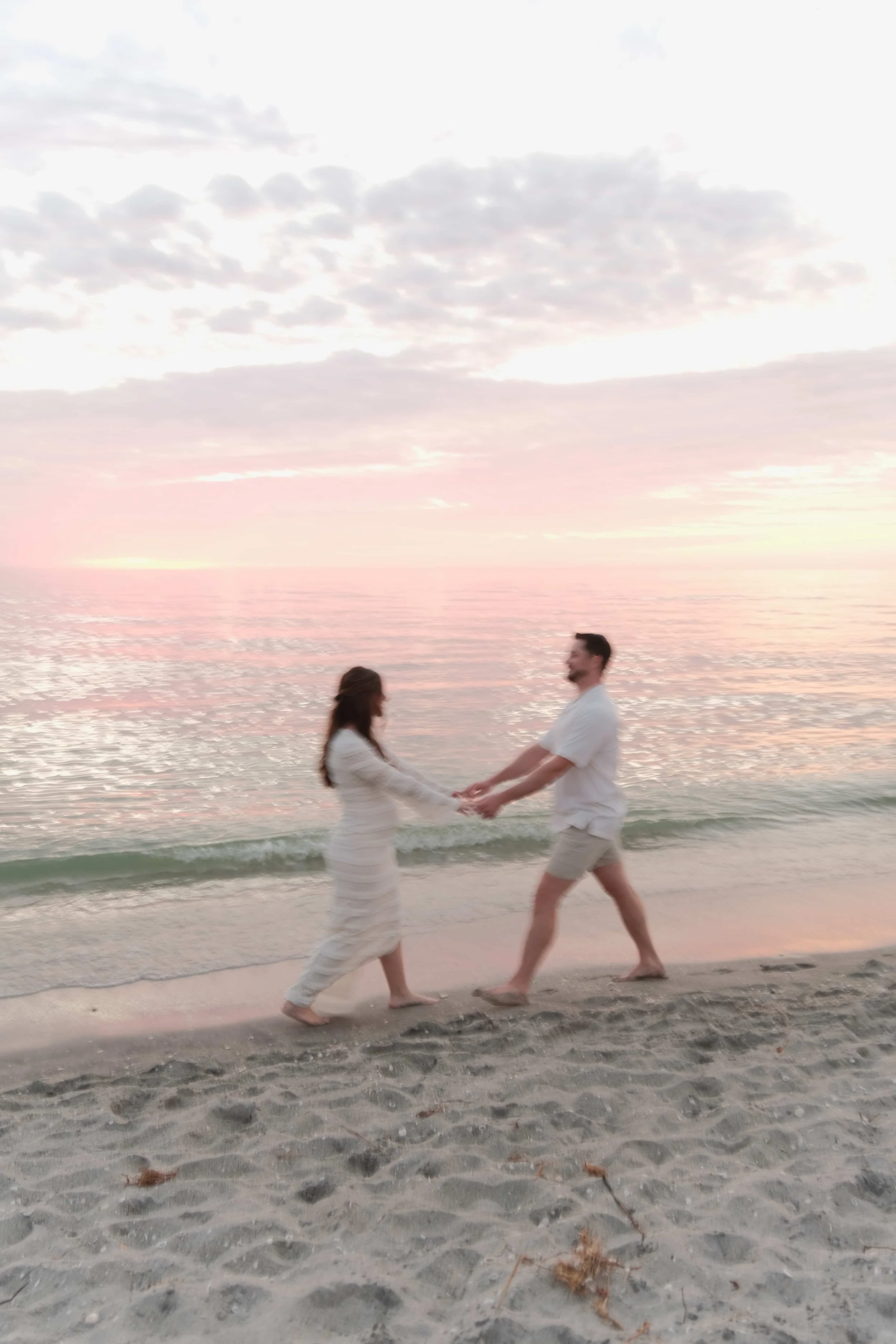
When most couples picture wedding videography, they think of big cameras, heavy rigs, and someone circling the dance floor with a lens pointed at their faces. Those cameras are vital for portraits, vows, and sweeping shots. But for many couples, that equipment also feels intimidating. Guests sometimes stiffen up or step aside when they see it. The laughter slows, the dancing changes, and the footage looks staged rather than lived.

That is why I added the DJI Osmo Pocket 3 to my wedding kit. On the surface it looks like a toy, something made for TikTok videos. In reality it is a 4K, 10-bit video camera with a gimbal built inside. It weighs less than a coffee mug, slips into a pocket, and yet produces video that compares directly to what professional DSLRs capture. Most importantly, it helps me give you the authentic, joyful wedding film you actually want.

How a Pocket Camera Changed the Dance Floor

At a Tuscaloosa reception in July, I handed the Pocket 3 to the maid of honor. She walked straight onto the dance floor, slipped it into her hand like a phone, and started recording. Guests laughed, sang into it, and kept dancing like nothing had changed. They thought it was a playful party trick, not “official” coverage.

  • The footage was electric.

  • The bride’s college friends belted the chorus of “Dixieland Delight” into the camera.

  • The groom’s father broke into dance without hesitation because the camera felt casual.

Couples spun together while laughing into the lens, rather than backing away.

When I cut the final film, that sequence became the heartbeat of the reception. The bride later told me, “That felt exactly like the night did. I forgot there was even a camera out there.”

Why This Tiny Camera Works for Weddings

The DJI Pocket 3 is not a gimmick. It is a tool that bridges the gap between professional gear and the authentic energy of a live wedding.

Key specs that matter for your day:

  • 4K video at 60 frames per second (and up to 120 in slow motion). This is the same resolution many professional DSLRs deliver, but the Pocket 3 does it without extra rigs. When champagne popped at a Fort Myers wedding last December, I captured the cork flying in smooth slow motion with no setup.

  • 1-inch CMOS sensor. That larger sensor gathers more light, producing clear video even in dim ballrooms. At a Naples reception with only candles and uplighting, I shot guests singing on the dance floor. The video was sharp, with natural colors, not the grainy blur you expect from small cameras.

  • Three-axis gimbal stabilization. The camera stabilizes itself. That means smooth footage even when a guest is running across the floor. At a St. Pete beach wedding, a cousin carried it while chasing kids with glow sticks. The footage looked like it came from a Steadicam operator.

  • 10-bit color. This captures over one billion color shades. In plain terms, that means your skin looks natural, your dress looks true white, and colorful lights stay vibrant.

To put this in perspective, most DSLRs used for weddings are still recording in 8-bit. That means less color information and more potential for banding in skies or gradients. The Pocket 3 outperforms in that area, even while fitting in a hand.

The Guest Factor

Guests often freeze when they see a large lens pointed at them. But when they see something that looks like a phone on a stick, they relax.

At a Virginia wedding, the best man borrowed the Pocket 3 and recorded himself singing along with the live band. Everyone around him joined in. That two-minute clip became the couple’s favorite because it showed their friends as they truly were, not as they posed to be.

At another wedding, the bride’s younger cousins grabbed it and started filming each other on the dance floor. Instead of stepping away from the camera, guests leaned in. They hugged, laughed, and shouted into the lens. The footage became a natural time capsule of the party.

Why This Complements Professional Gear

The Pocket 3 does not replace my main cameras. I still use professional bodies like the Fuji X-T4 for your ceremony, portraits, and wide establishing shots. Those cameras carry the detail, depth, and control needed for polished cinematic coverage.

The Pocket 3 fills a gap. It adds footage from places I cannot go without changing the mood. Guests with a pocket-sized camera blend into the crowd. They record from inside the circle, not from the edge. The result is a wedding film that feels complete:

  • Cinematic polish from main cameras

  • Candid authenticity from the Pocket 3

At a reception last summer, the combination worked perfectly. The main cameras recorded the first dance in sweeping, cinematic detail. Meanwhile, the Pocket 3 caught the bridal party cheering from the sidelines. Together, the edit captured both elegance and emotion.

Specs Compared to DSLRs

Couples often ask, “Can a camera that small really compare to the big ones?” The answer is yes, in the areas that matter for your film.

Feature DJI Pocket 3 Typical Wedding DSLR Benefit for You
Resolution 4K at 60 fps (120 fps slow motion) 4K at 24–60 fps; can go to 120 fps, but at 1080p Identical resolution, with extra flexibility for cinematic slow motion
Sensor 1-inch CMOS APS-C or full frame Larger than phone sensors, excellent in low light; holds its own against APS-C bodies
Stabilization Built-in 3-axis gimbal Requires rig or lens support Smooth, cinematic footage without bulky equipment
Color depth 10-bit color Often 8-bit Richer, more natural skin tones and smoother gradients
Weight 179 g 1.5–2 kg with lens Less intrusive, more freedom for guests to film naturally

Resolution

DJI Pocket 3: 4K at 60 fps (120 fps slow motion)

Typical DSLR: 4K at 24–60 fps; can go to 120 fps, but at 1080p

Benefit: Identical resolution, with extra flexibility for cinematic slow motion

Sensor

DJI Pocket 3: 1-inch CMOS

Typical DSLR: APS-C or full frame

Benefit: Larger than phone sensors, excellent in low light; holds its own against APS-C bodies

Stabilization

DJI Pocket 3: Built-in 3-axis gimbal

Typical DSLR: Requires rig or lens support

Benefit: Smooth, cinematic footage without bulky equipment

Color depth

DJI Pocket 3: 10-bit color

Typical DSLR: Often 8-bit

Benefit: Richer, more natural skin tones and smoother gradients

Weight

DJI Pocket 3: 179 g

Typical DSLR: 1.5–2 kg with lens

Benefit: Less intrusive, more freedom for guests to film naturally

This does not mean the Pocket 3 can replace a full DSLR kit. But it does mean the footage holds professional value and fits seamlessly into a final wedding film.

FAQs Couples Ask

Will the footage look like phone video?

No. Phone cameras compress video heavily. The Pocket 3 records higher bitrates, with more detail and better low-light performance. At a Cape Coral reception, I filmed speeches with it side by side with a DSLR. When shown to the couple, they could not tell which was which.

Do you always hand it to guests?

Not always. Sometimes I mount it discreetly on a small tripod to capture wide crowd shots. But when the party is in full swing, giving it to a trusted friend often leads to the most authentic footage.

Does it replace your main cameras?

No. It complements them. Your vows, portraits, and cinematic sequences are always captured with professional DSLRs or mirrorless bodies. The Pocket 3 shines in places where people need to forget the camera is there.

Why This Matters for Your Wedding

Your wedding film should feel real. You want the polish of cinematic shots, but you also want the fun, unfiltered energy of the reception. The DJI Pocket 3 helps me capture both.

  • Guests stay comfortable, so moments feel authentic.

  • Footage is stable and cinematic, despite the tiny size.

  • You see perspectives you would never see otherwise, from the crowd itself.

At the end of the day, your film should not just show what your wedding looked like. It should show what it felt like. The Pocket 3 helps me give you that.

Next Step

If you want a wedding film that combines cinematic portraits with authentic, guest-driven footage, let’s connect.

Your wedding deserves both polish and personality. The DJI Pocket 3 helps me deliver both.

Read More
Alex Christian Alex Christian

Why I Use the DJI Mini 4 Pro for Wedding Films

Drone footage adds breathtaking perspective and context for telling the story of your wedding day. See how the DJI Mini 4 Pro helps me capture sweeping mountain vistas, city skylines, and glowing barns in real Southern weddings.
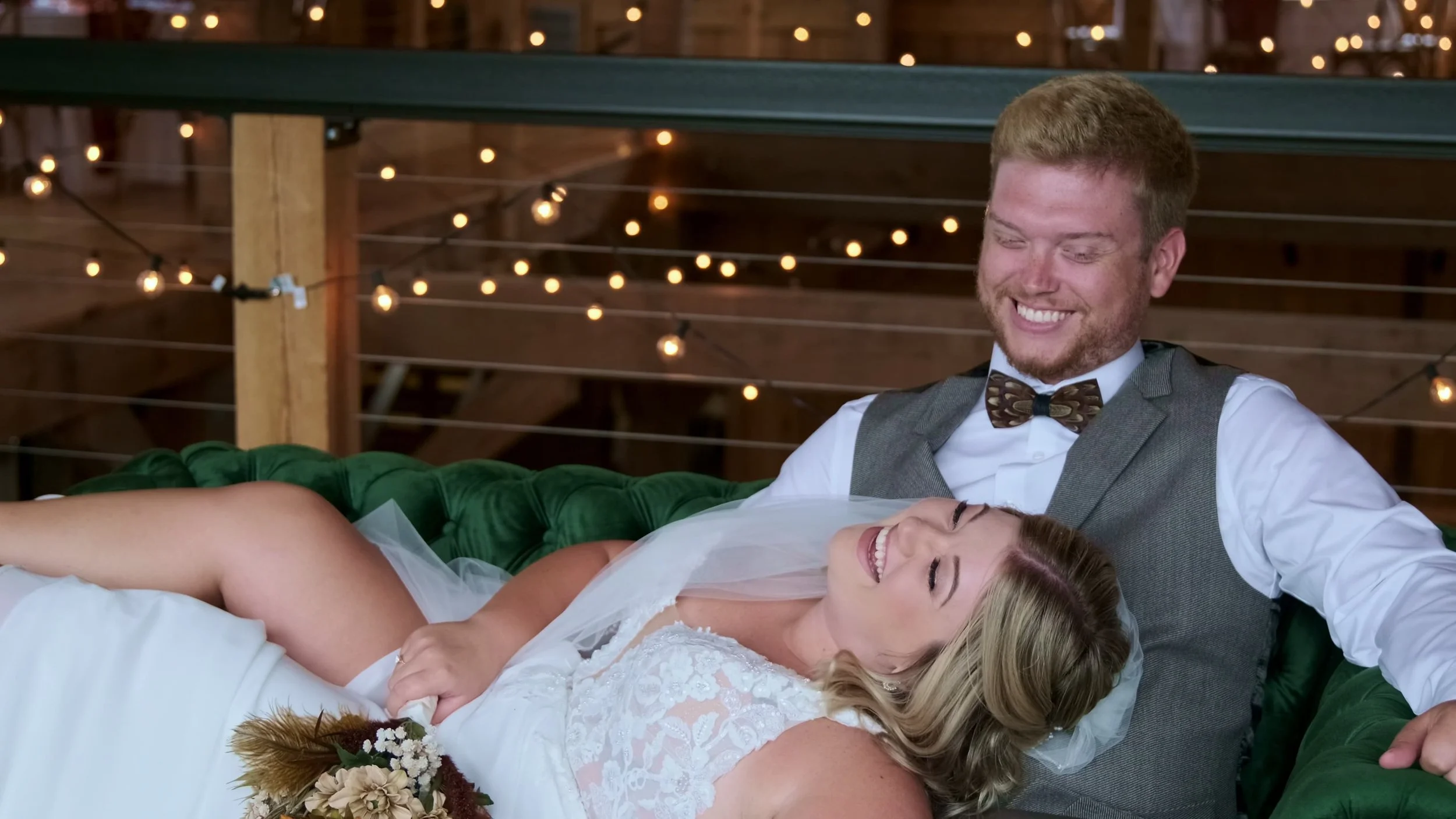
Couples light up when they hear drone footage is part of their wedding film. They picture sweeping mountain ranges, glowing city skylines, or barns tucked into the woods. These perspectives make your story cinematic because they show the setting in a way no ground camera can.

For my couples, I fly the DJI Mini 4 Pro. It may weigh less than a can of soda, but it records 4K HDR video that blends seamlessly with my main cameras. And because it is compact and quiet, it captures breathtaking aerials without disrupting your vows or reception.

Here’s why this drone is ideal for weddings, how it compares to larger rigs, and three real examples from Virginia, Alabama, and North Carolina where it transformed the way couples remember their day.

How Drone Footage Elevates a Wedding Film

Drone coverage isn’t about novelty. It’s about telling your story with scope.

  • Establishing shots: Show where your wedding took place, from the Blue Ridge Mountains to downtown Tuscaloosa.

  • Transitions: Connect the day’s chapters with aerial sweeps from ceremony to reception.

  • Cinematic scope: Add grandeur to intimate moments, making your gallery and film feel like cinema.

Why the DJI Mini 4 Pro Is Perfect for Weddings

Small Body, Big Capability

  • Under 249 grams: No FAA registration in many cases, though I carry full certification for commercial flights.

  • Palm-sized: Easy to carry between ceremony, cocktail hour, and reception.

Professional Specs

  • 4K video at 100 fps: Smooth cinematic slow motion.

  • HDR recording: Captures bright skies and shadow detail together.

  • 48MP still photos: High-resolution aerial images for albums or wall art.

Safety and Reliability

  • Omnidirectional obstacle avoidance: Sensors detect barns, trees, and city buildings.

  • Stable hovering: Smooth footage even in mountain breezes or coastal winds.

Drones add context for seamless transitions to tell the story of your big day. A shot like this helps people understand the layout of the venue as guests leave the ceremony to head off to the reception.

Real Wedding Stories

Virginia Mountain Wedding

At a ceremony in the Blue Ridge Mountains, I launched the Mini 4 Pro just before vows began. The drone lifted above the ridge, revealing the valley bathed in late-afternoon light, then tilted down to the couple standing at the overlook.

Later, at sunset, the drone recorded a slow pullback as the couple held hands against the glowing horizon. The bride told me, “That single shot looks like a movie. It captured the scale of the mountains and the intimacy of the moment.”

Tuscaloosa City Wedding

In Tuscaloosa, a couple hosted their reception downtown and asked me to tie their film to the city they love. During golden hour, I launched the Mini 4 Pro near the University of Alabama campus. The drone climbed above the skyline and revealed Saban Field at Bryant-Denny Stadium glowing in the distance.

The aerial tied their love story to the heart of Tuscaloosa. When the final film cut from that wide stadium shot to their packed reception, the groom said, “That’s us. That’s our city. No one else has that perspective.”

North Carolina Chapel Wedding

In rural North Carolina, a couple married at a chapel nestled deep in the woods. As dusk fell, I sent the drone above the treeline. From the air, you could see string lights glowing across the chapel and guests dancing inside, the entire property lit like a lantern in the forest.

That aerial became the closing shot of their wedding film. The bride said it gave her chills: “It feels like the whole world was focused on us for that one night.”

Specs Compared to Larger Drones

Feature DJI Mini 4 Pro Larger Drones (Air 3 / Mavic 3) Benefit for Weddings
Weight < 249 g 700–900 g Easier approval at venues, less disruptive
Video 4K HDR at 100 fps 5.1K or higher 4K Same cinematic feel for wedding films
Obstacle sensors Omnidirectional Omnidirectional Same safety features in smaller size
Noise Quieter Louder Less distraction during vows or first dances
Portability Palm-sized Backpack-sized Quick setup between ceremony and reception

Weight

DJI Mini 4 Pro: < 249 g

Larger Drones: 700–900 g

Benefit: Easier approval at venues, less disruptive

Video

DJI Mini 4 Pro: 4K HDR at 100 fps

Larger Drones: 5.1K or higher 4K

Benefit: Same cinematic feel for wedding films

Obstacle Sensors

DJI Mini 4 Pro: Omnidirectional

Larger Drones: Omnidirectional

Benefit: Same safety features in smaller size

Noise

DJI Mini 4 Pro: Quieter

Larger Drones: Louder

Benefit: Less distraction during vows or first dances

Portability

DJI Mini 4 Pro: Palm-sized

Larger Drones: Backpack-sized

Benefit: Quick setup between ceremony and reception

For weddings, subtlety matters more than raw specs. The Mini 4 Pro delivers cinematic footage without pulling focus away from your celebration.

Legal and Safety Considerations

Drone flights at weddings require preparation:

  • FAA Part 107 certification: I’m licensed to fly commercially in the U.S.

  • Venue permissions: Some estates, barns, and cities restrict flights. I always confirm in advance.

  • Safe zones: I never fly directly over guests during ceremonies or receptions.

FAQs About Drone Wedding Coverage

Will the drone be distracting?

No. The Mini 4 Pro is quieter than larger drones. Most guests barely notice it during short flights.

Can it fly indoors?

Not usually. It is best outdoors, though large covered spaces can allow safe flights.

What if weather prevents flying?

High winds or rain may ground the drone. When that happens, I focus on cinematic ground coverage. If skies clear, I capture aerials later in the day.

Why Drone Footage Matters for Your Wedding

Drone coverage gives you a perspective you cannot see from the ground.

  • In Virginia, it revealed the sweep of the Blue Ridge Mountains.

  • In Alabama, it tied a wedding story to the glowing heart of Bryant-Denny Stadium.

  • In North Carolina, it showed a rustic barn glowing in the woods.

Your wedding film should not only show close-ups. It should capture the full atmosphere of your day. The DJI Mini 4 Pro helps me deliver that perspective.

Next Step

If you want your wedding film to include cinematic aerials that capture the full beauty of your venue, let’s talk.

Your wedding deserves to be remembered from every angle. The DJI Mini 4 Pro makes that possible.

Read More
Alex Christian Alex Christian

The Filmic Look in Wedding Photography & Video

What does “filmic” really mean? It’s more than a filter. Discover how timeless color, cinematic light, and aerial footage make your photos and films feel like a movie.
Couples today often tell me they want their wedding coverage to feel filmic. They are not asking for a TikTok filter. They are asking for timeless storytelling — images and films that look like they belong on the big screen yet feel true to their own day.

“Filmic” is not a buzzword. It is a specific way of handling color, light, and storytelling that makes your photos and films look cinematic, emotional, and lasting. Here is what filmic actually means, how I capture it across both photo and video, and why it matters for how you will remember your wedding decades from now.

What Couples Mean by “Filmic” Style

When brides use the word “filmic,” they usually describe three things:

  1. Color that feels natural and cinematic. Whites look pure, skin looks flattering, and flowers look vibrant without looking artificial.

  2. Light that adds atmosphere. Shadows carry mood, highlights glow, and the scene feels dimensional.

  3. Timelessness. The gallery and the film should resist trends. They should look beautiful years later, not dated by a 2020s filter.

A Fort Myers bride explained it perfectly: “I want my photos and film to look like a scene from our favorite movie, not just documentation of what happened.”

Why Color Science Defines the Filmic Look

In Photography: The Fuji X-T4

The Fuji X-T4 has film simulations inspired by classic stocks, giving images a cinematic look straight from the camera:

  • Classic Chrome: Subtle contrast and muted tones, perfect for editorial-style portraits.

  • Astia: Smooth skin tones under natural light.

  • Eterna Bleach Bypass: Dramatic contrast for moody evening portraits.

At a Charlottesville vineyard ceremony under both sun and shade, I used Astia. The bride’s ivory gown stayed crisp, the groom’s navy suit stayed rich, and skin tones looked natural without heavy editing.

In Video: Fuji X-T4, DJI Pocket 3, and DJI Mini 4 Pro

  • Fuji X-T4: Shoots 4K/60fps with rich dynamic range, perfect for vows, speeches, and first dances. Its color science ensures skin looks natural even under tricky lights.

  • DJI Pocket 3: Adds candid energy on the dance floor. With 10-bit color and built-in gimbal, guests film themselves naturally while footage stays cinematic.

  • DJI Mini 4 Pro: Brings breathtaking aerials in 4K HDR. At a Tuscaloosa city wedding, the drone revealed Saban Field at Bryant-Denny Stadium glowing in the distance — tying the couple’s story to the city they love.

Together, these tools capture every perspective: intimate close-ups, candid energy, and cinematic scope.

How Lighting Creates the Cinematic Feel

Lighting is the difference between snapshots and cinema.

  • Golden hour portraits: At a Blue Ridge overlook, the Fuji X-T4 captured a backlit kiss that glowed like a romance film.

  • Candlelit dinners: At a North Carolina barn, the X-T4 at ISO 3200 kept detail without grain. The film carried the flicker of candlelight without losing clarity.

  • Reception parties: The DJI Pocket 3’s gimbal captured smooth, vibrant footage of guests singing mid-song. At the same barn, laughter and dancing felt raw and cinematic.

Drone aerials at sunset: The DJI Mini 4 Pro rose above treetops to show a barn glowing like a lantern in the woods. The bride later said, “That’s how the night felt — magical and endless.”

Why Depth and Texture Make Weddings Feel Filmic

Film feels rich because it preserves shadows and avoids flattening. Digital can look sterile if mishandled. To emulate film:

  • I underexpose slightly in dramatic settings to hold shadow texture.

  • I use fast prime lenses to create depth in portraits.

  • I add subtle grain to photos and films to give a tactile quality.

At a Downtown Lynchburg shoot, portraits against ivy-covered walls carried cinematic depth. The bride said, “It looks like a still from an art film.”

Why Timeless Style Matters for Brides

Trends in editing come and go — sepia in the 2000s, airy presets in the 2010s. Many couples now regret those looks.

Filmic style avoids trends by following principles cinema has used for over a century: natural skin, rich colors, and atmospheric light.

At a Venice maternity shoot, I showed two edits of the same portrait: one with a trendy filter, one with Classic Chrome. The mom-to-be chose my riff on Classic Chrome immediately, saying, “That feels like us.”

Tools I Use for the Filmic Look

Fuji X-T4 for Photos and Films

  • Film simulations: Built-in cinematic profiles for timeless color.

  • Quiet shutter: Capture vows and tears without intrusion.

  • Low-light ability: Crisp detail in dim churches and receptions.

  • Video versatility: 4K/60fps coverage of vows, entrances, and first dances.

DJI Pocket 3 for Video

  • 4K resolution at 60 fps: Identical to DSLRs, with slow motion up to 120 fps.

  • Built-in gimbal: Smooth motion without bulky rigs.

  • 10-bit color: Natural skin tones under reception lights.

  • Guest-driven energy: Guests relax and perform naturally with a small, pocket-sized camera.

DJI Mini 4 Pro Drone

  • 4K HDR aerials: Sweeping landscapes, glowing barns, city skylines.

  • Quiet and compact: Flies without disrupting vows.

  • Omnidirectional sensors: Safe flights near trees, barns, and city buildings.

  • Perspective: Adds cinematic grandeur. At a Virginia mountain wedding, it revealed the Blue Ridge backdrop in one breathtaking frame.

FAQs About the Filmic Look

Does filmic mean moody and dark?

No. It means cinematic. Some weddings are bright, others dramatic, but both can be filmic.

Will our skin tones look right?

Yes. The Fuji X-T4, DJI Pocket 3, and DJI Mini 4 Pro prioritize natural tones under all lighting.

Do filmic photos and films take longer to edit?

Not at all. With the right gear, the look is captured in-camera, which can often speed up the editing and color grading process. Editing polishes, but the style is already there.

Why Filmic Style Matters for You

Filmic coverage does more than document. It immerses you in the memory.

  • Your vows look cinematic but true.

  • Your portraits look timeless, not filtered.

  • Your reception feels alive, not staged.

  • Your venue looks breathtaking from above.

When you open your album or watch your film in 20 years, it should feel like stepping back into the moment. That’s what filmic coverage delivers.

Next Step

If you want wedding photos and films that feel cinematic, authentic, and timeless, let’s connect.

Your wedding deserves more than documentation. It deserves to feel like cinema. That is the promise of the filmic look.

Read More
Alex Christian Alex Christian

Documentary vs Traditional Wedding Photography: Which Style Fits Your Day

Should your wedding coverage be posed or candid? Learn the difference between traditional and documentary styles — and why the best films often combine both.
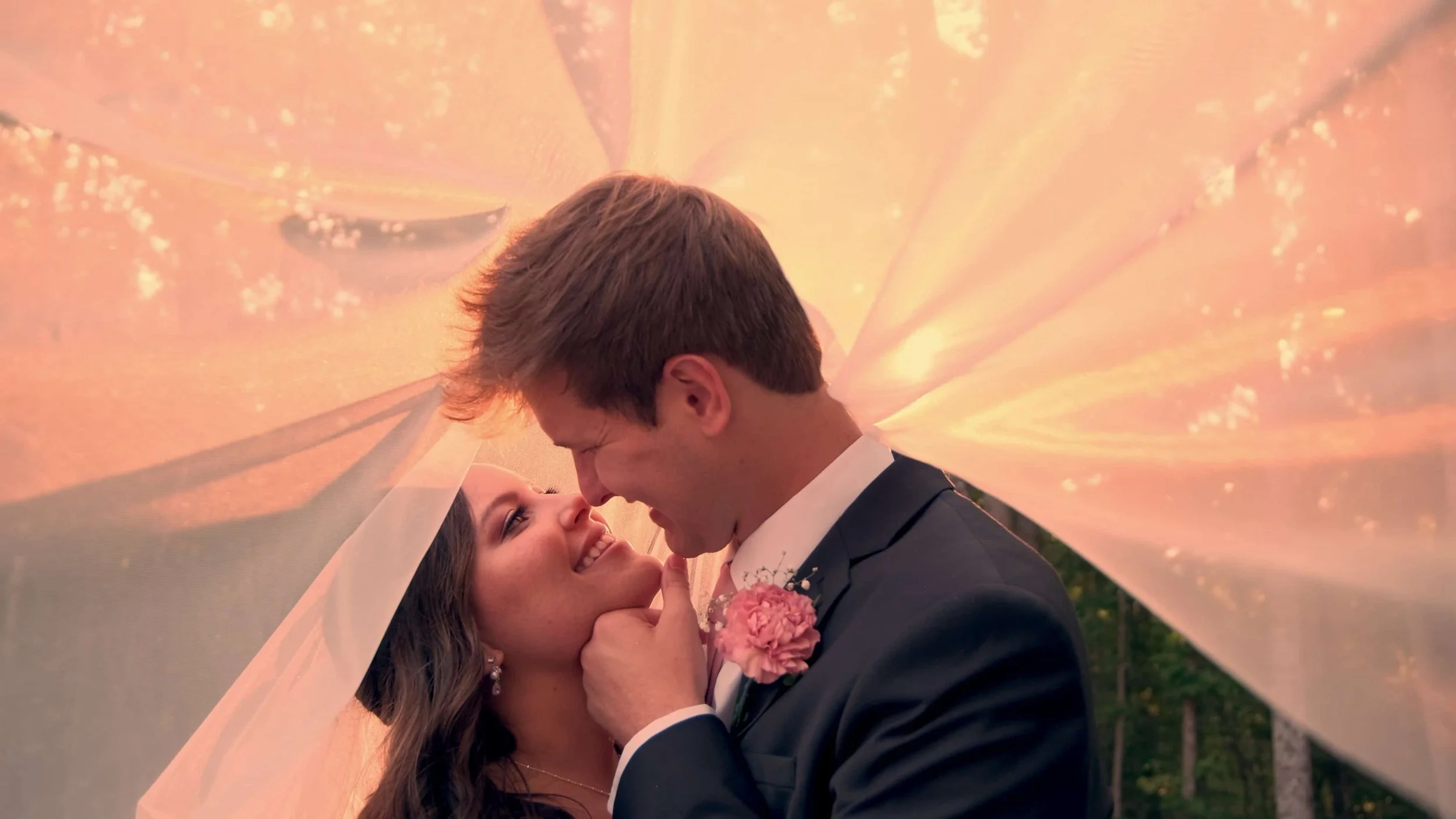
Every couple comes into planning with a vision for how their wedding should feel when they look back on it. Some want carefully posed portraits, every detail arranged. Others want the story told as it happened, laughter and tears included.

These two approaches are often called traditional wedding photography and documentary wedding photography. Both have value, but they deliver very different experiences and results.

What Is Traditional Wedding Photography?

Traditional photography is built around posed, formal images. Think of lineups of family members, carefully staged bridal portraits, and everyone looking directly at the camera.

  • Focus: structure and formality

  • Process: the photographer directs, arranges, and stages most shots

  • Result: polished, controlled images that feel timeless but sometimes posed

Example: At a Tuscaloosa wedding, the family requested a full set of formal group portraits. We lined up 20 combinations of the family, bridal party, all together, one-offs. It took 40 minutes, but the result gave them a clean record of everyone present.

What Is Documentary Wedding Photography?

Documentary (sometimes called photojournalistic) photography captures the day as it unfolds. Instead of staging, the photographer observes and records.

  • Focus: real, unposed moments

  • Process: minimal interference, allowing events to flow naturally

  • Result: candid, story-driven images that feel cinematic and authentic

Example: At a Raleigh reception, the groom’s grandmother began dancing unexpectedly with the flower girl. Because I was shooting documentary style, I caught the moment as it happened.

The Benefits of a Documentary Approach

  • Emotional honesty: Your photos reflect how the day felt, not only how it looked.

  • Less interruption: You spend less time pausing for portraits and more time enjoying your wedding.

  • Storytelling depth: The gallery unfolds like a film, from quiet glances to loud celebrations.

Brides often say they want to “relive the day.” Documentary photography makes that possible, because it captures the moments you didn’t even see.

Where Traditional Still Matters

There is still a place for traditional coverage. Neither is inherently “better” or “worse” than the other! Family group shots remain important, especially for albums and framed prints. Parents and grandparents often expect them.

That is why I always include a short window for formal portraits. At a Virginia wedding last spring, we did ten family combinations in 15 minutes. The rest of the gallery flowed candidly.

How Cinematic Style Bridges Both

With the Fuji X-T4, I can blend the best of both approaches.

  • Formal portraits benefit from its flattering color science, keeping skin tones true.

  • Candid moments gain a filmic tone, giving them the weight of a movie still.

I recommend staging the classic group portraits quickly, then shifting into documentary coverage. The final gallery will give the couple both the structured record their families wanted and the cinematic story they desire for themselves.

FAQs Couples Tend to Ask

Do we still get posed family photos with a documentary style?

Yes. I always schedule a short block for key family portraits. The rest of the day remains candid.

Will candid photos look messy?

No. Documentary does not mean unpolished. With the right gear and eye, the moments look cinematic, not chaotic.

Can we mix styles?

Absolutely. Most couples prefer a blend. You can request more formals or more candids depending on your priorities.

Which Style Fits You Best

Ask yourself:

  • Do you want every detail staged, or do you want the story captured as it happened?

  • Do you value polished records, or emotional narratives?

  • Do you want more time for portraits, or more time living in the moment?

There is no wrong answer, but knowing your preference helps shape how I approach your day.

Next Step

If you’re drawn to the idea of cinematic, story-driven photography with just the right touch of tradition, let’s talk!

Your gallery should reflect you — not just staged images, but the real emotions that made the day unforgettable.


Read More
Alex Christian Alex Christian

Why I Use the Fuji X-T4 for Wedding Photography

See why I trust the Fuji X-T4 as my main wedding camera. From true-to-life skin tones to low-light magic, it delivers a filmic, cinematic look brides love.

Filmic Look for Brides

When you choose someone to document your wedding, you’re not only choosing a style. You’re choosing how you want to feel when you look back at your photos ten or twenty years from now. That is why I shoot with the Fuji X-T4.

This camera lets me deliver film-inspired, timeless images right in the moment. Brides often tell me they want their gallery to look cinematic. They want it to feel like their favorite film, not like a flat record of events. The Fuji X-T4 is the tool that helps me give you that experience.

Your Photos Already Look Cinematic the Day Of

Most cameras record files that look flat and gray until hours of editing are applied. The Fuji X-T4 is different. Its color science is modeled on classic film stocks such as Provia, Astia, and Classic Chrome. That means your photos look polished and consistent straight out of the camera.

For you, that has two benefits:

  • Sneak peeks feel complete. At a recent Sarasota wedding, I shared previews the next morning. The bride told me, “These look ready to print.” That was before I even began the editing process.

  • Skin tones look true. Even in mixed lighting, your skin will not look orange or washed out. At a Fort Myers ballroom wedding last fall, the ceremony was lit by candles and uplights. The couple’s skin looked natural in every frame.

A Camera That Blends In, So You Stay in the Moment

You should not hear a loud click during your vows. You should not see a camera block your grandmother’s view during the first kiss. The Fuji X-T4 is compact and almost silent. I can move through the crowd and capture what matters without interrupting.

During a Tampa church ceremony in June, I photographed the entire exchange of vows without a single shutter sound. Guests later asked how I managed to be everywhere without them noticing. That is the benefit of quiet, lightweight gear.

Reliable in Unreliable Weather

Anyone who has planned an outdoor wedding in the American South knows how quickly conditions can change. Sun, humidity, and sudden rain showers are all part of the landscape. The Fuji X-T4 is weather sealed, so I keep shooting without pause.

At a North Carolina wedding in August, rain moved in during the family portraits. While guests took shelter, I stayed with the bridal party under light drizzle. We captured candid laughs with umbrellas, and the photos became some of the couple’s favorites. The camera never missed a beat.

Ready for Every Lighting Challenge

From midday sun to candlelit receptions, lighting shifts fast on a wedding day. The Fuji X-T4 adapts.

  • Bright outdoor ceremonies: It captures the detail in your dress and suit without blowing out highlights. At a Clearwater beachfront maternity shoot, the lace details in the mom-to-be’s dress remained visible even in direct sunlight.

  • Low-light receptions: Its in-body stabilization means I can shoot sharp images without harsh flash. On a Tuscaloosa dance floor, I photographed the first dance under twinkle lights without blur.

  • Mixed lighting: Your gallery will look consistent, even when one space uses daylight and the next uses tungsten bulbs.

Built-In Backup, So Nothing Is Lost

Every photo I take is written to two memory cards at the same time. If one fails, the other holds the exact same images. That means there is no single point of failure.

Weddings do not offer second chances. When I covered a Raleigh ceremony with 150 guests, one memory card glitched halfway through the night. Because of dual recording, every image was safe. The couple never even knew there had been an issue.

The Filmic Look Brides Ask For

More couples each year use the word “filmic” when describing what they want. They are not asking for trendy filters. They are asking for color that feels rich, for shadows that carry depth, and for highlights that glow.

The Fuji X-T4 produces that look straight out of camera. Its film simulations echo stocks that professional filmmakers have trusted for decades. Classic Chrome gives a timeless, documentary feel. Astia softens contrast for flattering portraits. Eterna Bleach Bypass adds a cinematic edge. Starting with these as bases, I built out custom film simulations that give you the look you want, straight out of camera, and then finalize the last little bits in post.

At a Raleigh garden wedding, the bride asked for footage that felt “like a classic movie.” We started in Classic Chrome, and she gasped when she saw the previews. She said, “That is exactly what I pictured.”

Less Posing, More Living

Heavy, bulky gear can slow a photographer down. It often means more staging, more direction, and fewer natural moments. The Fuji X-T4 is lighter, which lets me move quickly and catch moments without interruption.

During a Birmingham reception, the father of the bride and the lead singer of the band got into a singing competition. I was able to shift around the floor, crouch low, and capture every beat without pausing him to adjust. The footage tells the full story, unbroken.

FAQs From Couples

Will my photos still be edited?

Yes. Every gallery receives careful editing for consistency and polish. The difference is that the Fuji X-T4 gets me closer to the finished look in camera. That means you receive previews faster, and the final gallery feels cohesive.

Does this camera mean I get fewer photos?

No. The X-T4 shoots up to 15 frames per second. That allows me to capture split-second moments like confetti tosses or reactions during speeches.

I see other photographers talk about full-frame. Is this different?

Yes, but in practice you will not notice. At a Sarasota wedding last December, we compared sample portraits side by side with a full frame body. The couple chose the Fuji images every time because they felt more cinematic and true to life.

What This Choice Means for You

By choosing the Fuji X-T4, I am choosing to prioritize your experience:

  • Quiet coverage during intimate moments

  • Fast previews that look complete

  • Natural color and timeless tone

  • Reliability under Florida weather and lighting

  • A filmic aesthetic that feels like your own story on screen

When you open your wedding album years from now, the images will not feel dated or over-processed. They will feel timeless, the way the day felt.

Next Step

If you want your wedding photos to carry a cinematic, film-inspired look, let’s start the conversation!

Your wedding photos should feel like your favorite film. The Fuji X-T4 helps me deliver that every time.

Read More